Meta Model API Review: Muse Spark 1.3, Images, Voice, Agents, and Pricing in 2026
Information current as of September 29, 2026.
Meta has long been an unusual player in the AI developer market. The company released open-weight Llama models, but it effectively had no general-purpose cloud API of its own on the level of OpenAI or Anthropic. Developers had to run models themselves or use AWS, Azure, Groq, Together, OpenRouter, and other inference providers.
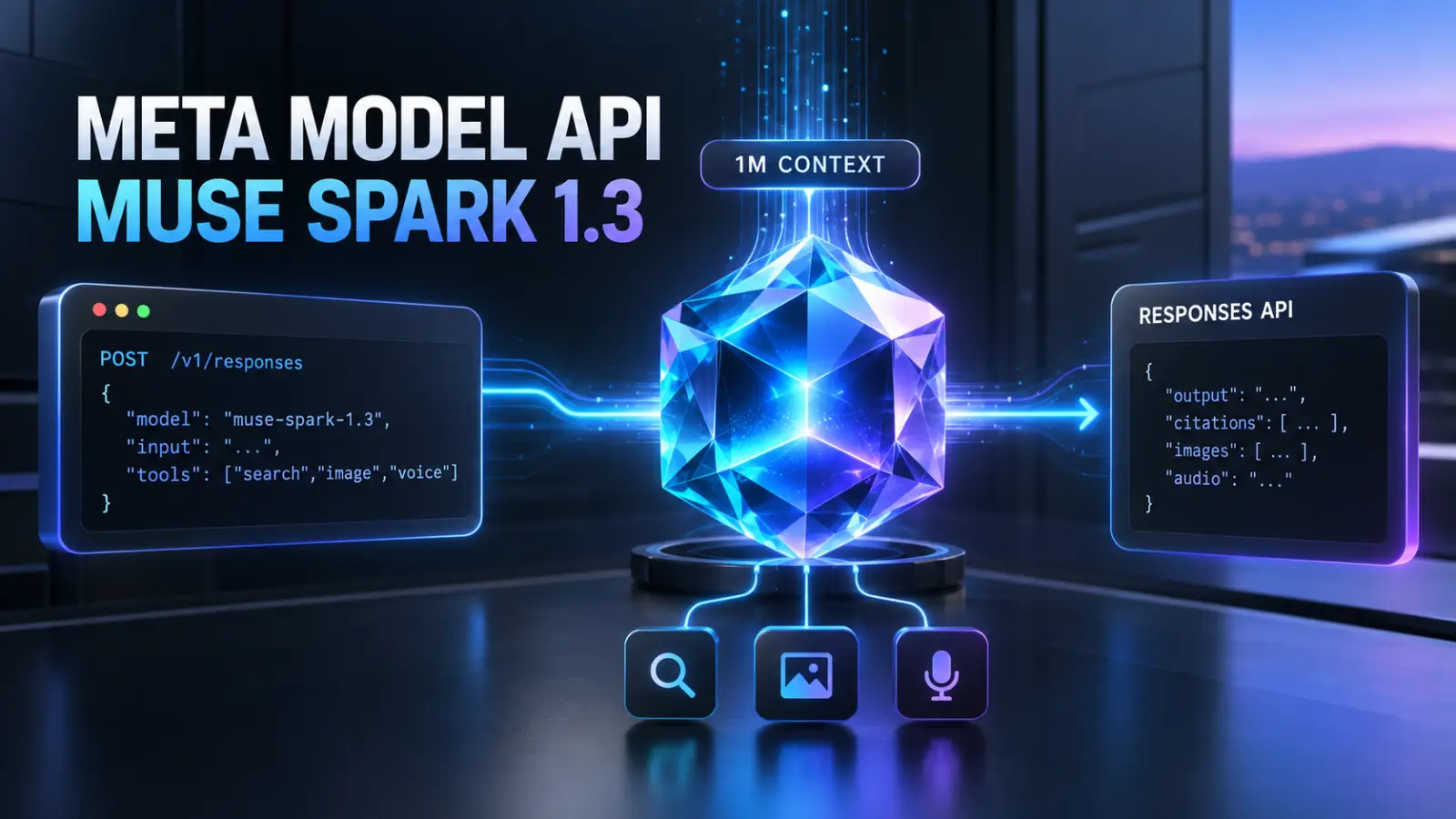
That changed in 2026. Meta launched Meta Model API, its own hosted platform with pay-as-you-go access to new Muse models. It currently offers Muse Spark 1.3 for reasoning, coding, and agent tasks; Muse Image for image generation and editing; Muse Voice Transcribe for streaming speech recognition; and SAM 3.1 for image and video segmentation.
The platform is officially still in public preview, but it already looks like more than an experimental endpoint for a single model. It includes the Responses API, OpenAI-compatible Chat Completions, Anthropic-compatible Messages API, server-managed conversations, reasoning across turns, web search, structured output, file inputs, prompt caching, background execution, and tool search.
It also has an unusual pricing structure: standard Muse Spark 1.3 costs $1.25/$4.25 per million input/output tokens, but the same model family is available in the Contributor tier for $0.10/$0.20 if developers allow Meta to use prompts and completions to train future models. The price difference is huge, but it comes with significant data-use restrictions.
This review explains what Meta Model API is, how Muse differs from Llama, which interfaces are available, what they cost, and what to consider when registering, handling personal data, and accessing the service from different countries.
Meta Model API is not a “Llama API”
This is an important distinction, because the Meta name is still most often associated with Llama.
Llama remains a separate family of open Meta models. You can download them, run them yourself, or use them with external cloud and inference providers.
Meta Model API is Meta's own hosted platform, but its current main model family is called Muse.
The official Meta Model API catalog currently lists five model families:
- Muse Spark — reasoning, coding, agentic workflows, and multimodal analysis;
- Muse Image — image generation and editing;
- Muse Voice Transcribe — speech-to-text;
- Segment Anything Model 3.1 — detection, segmentation, and tracking;
- Muse Glimmer — an open local agentic model in the same ecosystem, but not callable through the hosted API.
So if your goal is to “call Llama 4 through Meta's official API,” Meta Model API is not currently an ordinary hosted endpoint for Llama 4. Llama still uses downloadable weights and partner platforms. Meta's own hosted API now focuses primarily on Muse.
Muse Spark 1.3 is the platform's main model
The current model is Muse Spark 1.3.
It is designed primarily for long-horizon agentic workflows, programming, tool use, computer-use scenarios, and large tasks that require state to persist across many steps.
Model ID:
muse-spark-1.3
Context window:
1,048,576 tokens
Supported input types:
- text;
- images;
- video;
- PDF;
- audio, with a quality caveat.
The main model returns text.
Audio has an important limitation in version 1.3: Meta warns that audio understanding is not yet fully supported and quality may be lower. For specialized speech-to-text, use Muse Voice Transcribe; for some multimodal audio tasks, Muse Spark 1.2 may be a better option.
Meta currently recommends Muse Spark 1.3 for new development instead of 1.2 or 1.1.
Muse Spark 1.2 and 1.1
Previous versions are still available in the API:
muse-spark-1.2
muse-spark-1.1
All three generations have a context window of 1,048,576 tokens and the same standard price.
There is little reason to use 1.1 for a new application unless you have a specific need. Version 1.2 may still be useful where more mature audio input support matters or an application has already been validated against that exact model snapshot.
For production development, keep the model ID in configuration. Although the API is becoming more mature, the platform itself is still in preview and the Muse lineup is changing quickly.
Standard and Contributor are very different data-use tiers
Muse Spark has an unusual split into two pricing tiers.
Standard
Regular model ID:
muse-spark-1.3
Pricing:
| Token type | Price per 1M |
|---|---|
| Input | $1.25 |
| Cached input | $0.15 |
| Output | $4.25 |
Meta explicitly says that Standard-tier prompts and completions are not used to train Meta Models.
Standard is the right choice for commercial applications whose requests may contain internal data, code, user content, or other information that cannot be provided for training.
Contributor
Model ID:
muse-spark-1.3-contributor
The price is much lower:
| Token type | Price per 1M |
|---|---|
| Input | $0.10 |
| Cached input | $0.002 |
| Output | $0.20 |
In exchange, Meta receives permission to use prompts and completions to train future models.
This is more than a formal opt-in for a small discount. Input is 12.5 times less expensive, output is more than 20 times less expensive, and cached input is 75 times less expensive than Standard.
But Contributor has strict restrictions: you must not send sensitive, confidential, or personal information. If your product handles personal data, closed-source code, commercial documents, or any information that must remain confidential, use Standard.
What does one large request cost?
Consider a hypothetical request:
100,000 input tokens
10,000 output tokens
Without cache:
| Tier | Cost |
|---|---|
| Muse Spark 1.3 Standard | $0.1675 |
| Muse Spark 1.3 Contributor | $0.012 |
Standard:
100,000 × $1.25 / 1M = $0.125
10,000 × $4.25 / 1M = $0.0425
Total: $0.1675
Contributor:
100,000 × $0.10 / 1M = $0.01
10,000 × $0.20 / 1M = $0.002
Total: $0.012
The difference is almost fourteenfold.
If most input is cached, Contributor becomes even less expensive. But a real product should not choose this tier based on price alone: the data-use rules matter much more than the savings.
Reasoning
Muse Spark is a reasoning model. Before its visible response, it generates internal reasoning tokens.
You control the level with:
minimal
low
medium
high
xhigh
max
You cannot turn reasoning off completely: none returns an error for Muse Spark.
For example:
{
  "model": "muse-spark-1.3",
  "reasoning": {
    "effort": "high"
  },
  "input": "Analyze the application's architecture and find potential failure points."
}
Reasoning tokens remain hidden, but count as output tokens and consume max_output_tokens.
The max level is available only for Standard muse-spark-1.3. The Contributor model does not support it.
For production, this means the same user request can cost different amounts depending on reasoning effort. Reserve the maximum mode for genuinely difficult agentic and engineering tasks instead of using it for every request by default.
Three API protocols over one model
Meta has built an unusually convenient compatibility setup. The same Muse Spark model is available through three formats.
| Format | Endpoint | Best suited for |
|---|---|---|
| Responses API | /v1/responses |
new agents, tools, stateful context |
| Chat Completions | /v1/chat/completions |
existing OpenAI-compatible code |
| Messages API | /v1/messages |
Claude/Anthropic-compatible tools |
The model price is the same regardless of the protocol you choose.
For a new project, Meta recommends the Responses API.
Chat Completions is primarily for applications that already have an OpenAI-compatible messages-array integration.
The Messages API is especially useful for Claude Code and other tools that expect the Anthropic protocol.
Responses API
Meta's Responses API is very close to the modern OpenAI Responses API.
A minimal request:
curl -X POST "https://api.meta.ai/v1/responses" \
  -H "Authorization: Bearer $MODEL_API_KEY" \
  -H "Content-Type: application/json" \
  -d '{
    "model": "muse-spark-1.3",
    "input": "Briefly explain the difference between REST and GraphQL."
  }'
You can use the regular OpenAI SDK with Python:
from openai import OpenAI

client = OpenAI(
    api_key="YOUR_MODEL_API_KEY",
    base_url="https://api.meta.ai/v1",
)

response = client.responses.create(
    model="muse-spark-1.3",
    input="Explain dependency injection."
)

print(response.output_text)
The main difference between Responses and plain Chat Completions is that reasoning is preserved between steps.
Stateful and stateless multi-turn conversations
The Responses API supports two ways to continue a conversation.
Server-managed state
The first response gets an ID. You can link the next request to it:
{
  "model": "muse-spark-1.3",
  "previous_response_id": "resp_...",
  "input": "Now suggest an alternative architecture."
}
Meta restores the previous state itself.
Encrypted reasoning replay
You can avoid storing conversation state on the server and return encrypted reasoning items from the model in the next request instead.
This is an interesting compromise: reasoning continuity is preserved, but the app can control its own history instead of being tied to previous_response_id.
For agents with long tool loops, this is noticeably more useful than regular Chat Completions, where reasoning does not carry over between requests.
Background execution
The Responses API supports background requests.
For a long task, you can start:
{
  "model": "muse-spark-1.3",
  "input": "Conduct a detailed analysis...",
  "background": true
}
The API returns a response ID. Your app can later check its status, connect to the SSE stream for the current background response, or cancel it.
This works well for research, long coding workflows, and agentic tasks that may exceed an ordinary HTTP timeout.
OpenAI-compatible Chat Completions
If your app already uses OpenAI Chat Completions, migration is particularly simple:
from openai import OpenAI

client = OpenAI(
    base_url="https://api.meta.ai/v1",
    api_key="YOUR_MODEL_API_KEY",
)

response = client.chat.completions.create(
    model="muse-spark-1.3",
    messages=[
        {
            "role": "user",
            "content": "Explain dependency injection."
        }
    ],
)
Meta describes Model API as a drop-in compatible replacement for the OpenAI SDK.
Compatibility is not absolute. The reasoning model does not accept some parameters available in ordinary OpenAI chat models. For example, certain combinations involving stop, logit_bias, and logprobs may return HTTP 400.
But for a regular messages integration, migration really does come down to the base URL, key, and model ID.
Anthropic-compatible Messages API
The third interface is /v1/messages.
It is designed for applications that use the Anthropic Messages API. In particular, it lets you connect Muse Spark to Claude-oriented tools.
The Messages API can return:
- regular text blocks;
thinking;tool_use;- server-side calls such as
web_search_call; tool_search_call.
Anthropic-style token counting is also supported:
POST /v1/messages/count_tokens
This makes Meta Model API one of the few direct model providers that officially aims to support both OpenAI and Anthropic APIs.
Function calling
Muse Spark supports function/tool calling with JSON Schema.
For example:
{
  "type": "function",
  "name": "get_order",
  "description": "Get order details",
  "parameters": {
    "type": "object",
    "properties": {
      "order_id": {
        "type": "string"
      }
    },
    "required": ["order_id"],
    "additionalProperties": false
  }
}
The model can decide to call get_order; your application runs the actual function and returns the result to the model.
Parallel tool calls and streaming tool arguments are supported.
As with any LLM API, tool calling should not replace ordinary backend checks. Validate authorization, payments, destructive operations, and any other critical rules in application code.
Structured Outputs
Meta Model API supports true schema-constrained output.
Chat Completions uses:
response_format
The Responses API uses:
text.format
You can set a JSON Schema and strict: true. Decoding is constrained so the result conforms to the schema instead of merely “trying to return JSON.”
This is suitable for:
- extraction;
- classification;
- DTOs;
- backend function parameters;
- processing forms and documents;
- configurations;
- agentic pipelines.
There are limits on schema size: Meta sets limits on depth, number of properties, enums, and the total expanded schema size.
Tool Search
A large agent may have dozens or hundreds of functions. Passing the full JSON Schema for each function in every request is expensive and uses up the context window.
Meta added Tool Search to address this.
You can mark the search tool as:
{
  "type": "tool_search"
}
and other function definitions as:
{
  "defer_loading": true
}
The model sees each tool's name and short description, while the full schema is loaded only when it is actually needed.
There are two modes:
- hosted — Meta searches through the declared deferred tools;
- client-executed — your application searches for an available tool.
The second option is especially convenient for a multi-tenant SaaS: the connected CRMs, payment systems, and services can differ for each customer.
Tool Search works through the Responses API and Messages adapter, but not through regular Chat Completions.
Web Search Grounding
Muse Spark can get fresh information from the internet through built-in:
{
  "type": "web_search"
}
The model can run search queries, open results, find text within a page, and return an answer with citations.
Pricing:
$2.50 / 1,000 search queries
plus the regular Muse Spark token costs.
This is considerably less expensive than some competing built-in search tools, but the final cost depends on how many queries the model actually makes for a user task.
You can pass an approximate user location and control the size of the search context.
Prompt caching
Meta automatically reduces the cost of a repeated input prefix.
Standard:
regular input:  $1.25 / 1M
cached input:   $0.15 / 1M
Contributor:
regular input:  $0.10 / 1M
cached input:   $0.002 / 1M
The API returns the number of cached tokens in usage information.
This matters for long coding/agent workflows: system instructions, tool definitions, project context, and early conversation history are often repeated across requests.
You can use prompt_cache_key to improve cache routing.
Files, images, PDFs, and video
Muse Spark accepts more than text.
In the Responses API, you can pass input_file using:
file_id;- inline
file_data; - a URL;
- filename + data.
You can upload files once and reuse them by ID.
For image-heavy requests, Meta documents an inline payload of up to about 50 MB and roughly 50 images per request in a typical vision scenario.
Muse Spark can read screenshots, photographs, charts, PDFs, and video. This works especially well with Structured Outputs: for example, you can provide a table screenshot and receive schema-validated JSON.
Computer Use
Muse Spark is positioned as a model with strong computer-use reasoning, but it is important to avoid a false impression here.
Meta Model API does not currently provide a separate, fully hosted “virtual computer” that the model itself controls on Meta's servers.
A typical client-side setup works like this:
- your application or agent harness takes a screenshot;
- sends it to Muse Spark;
- the model calls mouse/keyboard/shell tools;
- the harness executes the actions;
- a new screenshot is sent to the model.
Meta's cookbook demonstrates this with Cua, OpenCode, MCP, and its own metacua for macOS.
Muse Spark performs perception and reasoning, but you control the execution environment.
For production, that can be convenient: you can run the model inside an isolated disposable desktop/container instead of giving it access to a real workstation.
Muse Code
Alongside the API, Meta is developing Muse Code — its own terminal coding agent, built specifically around Muse Spark.
It supports multi-agent workflows, tool use, and extended work with a codebase.
You can use Muse Code with regular Meta Model API authentication and billing or through a separate monthly subscription.
There is an important legal detail: an API key/credential issued under the Coding Harness Subscription is intended only for the coding harness. Meta's terms prohibit using it outside the subscription to bypass limits and API billing.
So connect your own SaaS to the regular Model API; do not try to use a Muse Code subscription credential as a cheaper universal API key.
Muse Image
For image generation and editing, Meta offers a separate model:
muse-image-1.0
It is available through:
POST /v1/images/generations
POST /v1/images/edits
For multi-turn image editing, you can use the Responses API.
The price is very simple:
$0.01 / image
It does not depend on the number of reasoning steps or internal tools Muse Image used to create the image.
Muse Image is an agentic image model. Before rendering, it can plan a composition, use search and code tools, and then check the result.
Supported features include:
- text-to-image;
- precise editing;
- composition from reference images;
- multi-turn refinement;
- anchored consistency across a series of images.
For a product with high-volume catalog imagery, ad variants, or personalized graphics, $0.01 per result makes Meta an aggressive competitor to specialized image APIs.
Muse Voice Transcribe
Meta Model API already has a dedicated speech-to-text model:
muse-voice-transcribe-1.0
Pricing:
$3 / 1,000 minutes
$0.18 / hour
Streaming and non-streaming cost the same.
The model supports:
- realtime streaming transcription;
- speaker diarization;
- more than 20 speakers distinguished at the same time;
- voice activity detection;
- endpointing;
- contextual and keyword biasing.
The recognition model handles all of these features, so you do not need a separate batch diarization pass.
But Muse Voice Transcribe is specifically speech-to-text. Meta Model API does not currently offer a first-party TTS or speech-to-speech API comparable to OpenAI Realtime or Gemini Live.
If you need a voice assistant with speech synthesis, you will need to provide TTS through another service.
SAM 3.1
Another unusual component of Model API is Segment Anything Model 3.1.
It can:
- detect an object from a text prompt;
- return bounding boxes;
- create pixel-precise segmentation masks;
- track the same object through a video.
Pricing:
$2.50 / 1,000 images
$0.20 / 1,000 video frames
SAM uses the same API keys and billing as Muse.
This is a specialized vision endpoint that can help with computer-vision pipelines, catalogs, automatic image and video processing, AR, and other scenarios where a multimodal LLM's general image description is not enough.
Muse Glimmer: an open local alternative
At the same time, Meta is developing a different approach: Muse Glimmer does not run through Model API at all.
It is an open-weight 30-billion-parameter multimodal model designed for always-on local agents.
License:
Apache 2.0
Default context:
128K
with support for longer modes.
You can run the model with:
- vLLM;
- SGLang;
- llama.cpp;
- ExecuTorch;
- Ollama;
- LM Studio.
The full bf16 checkpoint takes about 60 GB, and quantized variants are also available.
For local coding/agent scenarios, this is an interesting complement to hosted Muse Spark: you do not need an API key or per-token billing, and data can stay on your own machine.
Its capabilities and context naturally differ from Muse Spark 1.3.
Rate limits
Meta's current standard limits look fairly generous.
Muse Spark Standard
3000 RPM
4,000,000 TPM
Contributor
100 RPM
3,000,000 TPM
Limits apply to the team, not to an individual API key.
Muse Image has a separate limit:
150 requests/minute
When you exceed a limit, the API returns HTTP 429.
For large production workloads, check the Limits page for the specific team and contact support to request additional capacity.
Registration
Meta made Model API a separate developer product.
You can sign up with:
- email;
- mobile number;
- Facebook;
- Google;
- GitHub.
A team is created automatically after sign-up.
To start making real requests:
- create an account;
- add a payment method;
- enter billing information;
- create an API key;
- save the key in a secret manager or environment variable.
For business information, you can enter details for a registered company. If you do not have a company, Meta lets you provide an individual's legal name and mailing address.
The user and end users of Model API must be at least 18 years old.
Billing
Meta uses postpaid usage-based billing, not a prepaid balance.
Usage accrues and is charged in two cases:
- when the payment threshold is reached;
- on the first day of the month for the remaining balance.
You currently add a card as a payment method through the Billing page.
Meta also lets you download receipts/invoices and manually use Pay now.
There is an important practical issue: the spend limit is currently only an alert, not a hard cap. If you set an alert at $100, the API will not automatically stop at $100. You will still have to pay any spending above the alert.
For a public SaaS, per-user quotas and rate limits are therefore essential.
Can Meta Model API be used from Russia?
No — the situation here is much clearer than with DeepSeek, Kimi, or some other APIs.
Meta's official documentation explicitly lists Russia among the Restricted Territories for Meta Model API. The restriction applies to Standard as well as Contributor/Discounted Services.
The same list also names China, Cuba, Iran, and North Korea.
So for a user in Russia, the issue is not simply whether a Russian card will go through. Meta prohibits access to and use of Model API from restricted territories under its Geographic Use Policy.
The terms also prohibit making an Integrated Product available to end users in geographic regions not permitted by the policy.
A VPN, foreign card, or account registered in another country does not by itself make use from a restricted territory compliant with the service terms.
For a project aimed at users in Russia, this is a particularly important restriction and one of the main disadvantages of Meta Model API compared with self-hosted Muse Glimmer or open Llama models.
Public preview is still not GA
Despite fairly mature functionality, Meta Model API is officially still in public preview.
The Terms explicitly call the current period a limited preview and allow terms to change after general availability.
That is not a problem for a new side project or a secondary AI backend. For a critical corporate system, take these into account:
- possible API changes;
- changes to the model lineup;
- geographic policy;
- preview contract terms;
- the possibility of changes to quotas and pricing.
An abstraction layer for model providers within the application is especially useful here.
Standard API data is not used for training
For Standard Services, Meta explicitly undertakes not to use Content to train Meta Models.
This makes regular muse-spark-1.3 fundamentally different from muse-spark-1.3-contributor in terms of privacy.
Contributor exists specifically as a discounted tier in exchange for permission to train on submitted data.
Do not dynamically send random product traffic to Contributor simply to save money. Meta requires that personal, sensitive, and confidential data and closed-source code not be sent there.
Integrated Products also need their own privacy policy explaining to users what data is collected and how it is used.
Data retention and Zero Data Retention
“Not used for training” does not mean “not stored at all.”
The Terms allow Meta to retain Content and Usage Data as far as needed to provide the service, comply with law, ensure security, enforce policies, and serve related purposes.
Zero Data Retention is available to organizations with stricter requirements.
With ZDR, prompts and model responses are processed in realtime and are not retained after the response is returned, except where retention is required by law or necessary to investigate misuse.
However, ZDR:
- is not enabled by a regular dashboard toggle;
- is available only to qualified organizations;
- requires a separate agreement with Meta;
- applies only to direct Meta Model API requests;
- may not be supported equally by every model.
If a request goes through OpenRouter or another intermediary, that platform's own retention rules apply.
Contributor is not an option for users' personal data
Contributor looks almost too inexpensive:
$0.10 input
$0.20 output
$0.002 cached input
But Meta specifically prohibits sending personal, sensitive, or confidential information to it.
That makes Contributor a poor fit for:
- a CRM with real customer records;
- an email assistant;
- processing CVs/resumes;
- medical data;
- personal user chats;
- a closed Git repository;
- internal business documents.
It can be interesting for:
- public data;
- synthetic datasets;
- non-confidential benchmarks;
- side projects;
- prototyping;
- public open-source code;
- bulk experiments where permission to train is not a problem.
What does Meta Model API not cover yet?
Despite the platform's rapid growth, it is not yet as universal as OpenAI or Gemini.
It currently has no first-party:
- text-to-speech API;
- realtime speech-to-speech API;
- general-purpose embeddings API;
- hosted vector File Search/RAG comparable to OpenAI or Gemini;
- standalone first-party video-generation endpoint in Model API;
- universal hosted desktop/browser environment.
Muse Spark can analyze video, but it does not generate video.
Muse Image creates images, but Muse Video is not yet presented as a regular production Model API endpoint to the same extent.
Computer Use requires an external execution harness.
For RAG, you can use your own function tools, MCP, and retrieval infrastructure, but Meta does not yet offer a ready-made vector-store abstraction comparable to some competitors.
Meta Model API in PHP
The official Meta Model API is easy to call from PHP over regular HTTP.
For a new application, the Responses API makes more sense:
<?php

$apiKey = $_ENV['META_MODEL_API_KEY'];

$payload = [
    'model' => 'muse-spark-1.3',
    'input' => 'Briefly explain dependency injection.',
    'reasoning' => [
        'effort' => 'low',
    ],
];

$ch = curl_init('https://api.meta.ai/v1/responses');

curl_setopt_array($ch, [
    CURLOPT_POST => true,
    CURLOPT_RETURNTRANSFER => true,
    CURLOPT_HTTPHEADER => [
        'Authorization: Bearer ' . $apiKey,
        'Content-Type: application/json',
    ],
    CURLOPT_POSTFIELDS => json_encode(
        $payload,
        JSON_UNESCAPED_UNICODE
    ),
]);

$response = curl_exec($ch);

if ($response === false) {
    throw new RuntimeException(curl_error($ch));
}

$data = json_decode(
    $response,
    true,
    flags: JSON_THROW_ON_ERROR
);

foreach ($data['output'] ?? [] as $item) {
    if (($item['type'] ?? null) !== 'message') {
        continue;
    }

    foreach ($item['content'] ?? [] as $content) {
        if (($content['type'] ?? null) === 'output_text') {
            echo $content['text'];
        }
    }
}
In Laravel:
$response = Http::withToken(config('services.meta_model.key'))
    ->post('https://api.meta.ai/v1/responses', [
        'model' => 'muse-spark-1.3',
        'input' => 'Briefly explain dependency injection.',
        'reasoning' => [
            'effort' => 'low',
        ],
    ]);

$data = $response->throw()->json();
If your existing PHP code already uses OpenAI Chat Completions, it is even easier to connect to:
https://api.meta.ai/v1/chat/completions
using the same messages structure.
Keep the API key on the backend only. Meta specifically warns not to hard-code the key in client-side code or commit it to a repository.
How Meta Model API differs from OpenAI, Claude, and Gemini
The platform now has a fairly clear profile.
OpenAI still has a broader mature ecosystem of specialized APIs, including realtime voice, embeddings, and developed hosted agent infrastructure.
Claude API is especially strong for complex coding and agent workflows and has a mature Claude Code ecosystem.
Gemini combines multimodality with Search, Maps, a large set of specialized media models, and Google Cloud.
Meta Model API focuses on Muse Spark as an agentic/coding model and offers unusually broad API compatibility: Responses + Chat Completions + Anthropic Messages over one backend. Other advantages include an unusually inexpensive Contributor tier and Meta's own line of open-weight models such as Muse Glimmer.
However, Meta's geographic restrictions are much stricter than some alternatives, and the service is still in preview.
Which configuration should you choose?
For a regular commercial application, the current baseline choice is:
muse-spark-1.3
Responses API
Standard tier
Contributor makes sense only when you know for sure that traffic contains no personal/confidential data and you permit training use.
Use Chat Completions if the application already uses the OpenAI messages API and does not need reasoning to persist between turns.
Messages API is a good option for Claude Code and Anthropic-oriented tools.
For complex agent loops, use Responses API because that is where full reasoning replay, server-managed state, background execution, search grounding, and Tool Search are available.
For images, use muse-image-1.0.
For transcription, use muse-voice-transcribe-1.0.
For a local/private agent without a cloud API, evaluate Muse Glimmer separately.
Conclusion
In 2026, Meta Model API is one of the most significant changes in Meta's developer strategy. The company is no longer limited to “we publish weights, and you arrange inference yourself”: it now has its own direct, self-service, pay-as-you-go API.
Muse Spark 1.3 offers a million-token multimodal context window, reasoning, coding, server-side web search, structured output, tool search, files, and multi-step work through the Responses API. The same backend can also be called in OpenAI or Anthropic formats.
Around the main model, Meta has added Muse Image at $0.01 per image, Muse Voice Transcribe at $0.18 per hour, and SAM 3.1 for segmentation. At the same time, Muse Glimmer preserves Meta's traditional path of open weights and local inference.
The most unusual part of the pricing is Contributor: at $0.10/$0.20 per million tokens, it makes Muse Spark extremely inexpensive, but only in exchange for training use of data and with a ban on sending personal/confidential content. For a real user-facing SaaS, Standard at $1.25/$4.25 will more often be the right choice.
The main limitations also matter. The API is still in public preview, it does not yet cover the full range of voice/RAG/media features offered by competitors, and it has a strict Geographic Use Policy. Russia is explicitly a Restricted Territory, so the official Model API should not be considered an option for a Russian deployment or Russian end users.
For projects in supported countries, Meta Model API is already worth including in evaluations alongside OpenAI, Claude, Gemini, Grok, and other major APIs. This is especially true for coding agents, long-context reasoning, multimodal analysis, or applications that need to switch between OpenAI-, Anthropic-, and Meta-compatible backends without a major refactor.
Official sources
- Meta Model API: https://dev.meta.ai/products/meta-model-api
- Documentation: https://dev.meta.ai/docs/overview
- Models: https://dev.meta.ai/docs/models
- Muse Spark 1.3: https://dev.meta.ai/models/muse-spark
- Quickstart: https://dev.meta.ai/docs/quickstart
- Choosing an API: https://dev.meta.ai/docs/protocols
- Responses API: https://dev.meta.ai/docs/protocols/responses
- Chat Completions: https://dev.meta.ai/docs/protocols/chat-completions
- Messages API: https://dev.meta.ai/docs/protocols/messages
- Reasoning: https://dev.meta.ai/docs/reasoning
- Structured output: https://dev.meta.ai/docs/structured-output
- Tool search: https://dev.meta.ai/docs/tool-search
- Pricing and rate limits: https://dev.meta.ai/docs/pricing-rate-limits
- Muse Image: https://dev.meta.ai/models/muse-image
- Image generation: https://dev.meta.ai/docs/image-generation
- Muse Voice Transcribe: https://dev.meta.ai/models/muse-voice-transcribe
- SAM 3.1: https://dev.meta.ai/models/sam-3-1
- Muse Glimmer: https://dev.meta.ai/models/muse-glimmer
- Authentication: https://dev.meta.ai/docs/authentication
- Sign up: https://dev.meta.ai/help/accounts-and-login/sign-up
- Billing: https://dev.meta.ai/help/billing/set-up-billing
- Supported countries: https://dev.meta.ai/help/accounts-and-login/supported-countries
- Contributor tier: https://dev.meta.ai/help/policies-and-privacy/contributor-tier
- Zero Data Retention: https://dev.meta.ai/help/policies-and-privacy/zero-data-retention
- Terms of Service: https://dev.meta.ai/legal/terms-of-service
Our projects
- Anilau
Web development and digital product launch. - Botmarketing
Telegram bots, mini apps, storefronts and CRM for small businesses. - vietnam.anilau.com
Listings, local services and practical guides to Vietnam. - bali.anilau.com
A marketplace for goods and services in Bali. - ceylon.anilau.com
Listings, services and practical information about Sri Lanka. - mauricetop.anilau.com
A platform for listings and information about life in Mauritius. - funlab
A platform for creating and playing AI-generated games. - aura
An AI mood diary and creative space. - drained
A Telegram Mini App for daily fatigue check-ins and recovery. - vietinfodesk
Practical guides, services and help for life in Vietnam. - frau
A cozy Nha Trang cafe profile featuring waffles, breakfast and drinks.
We work in partnership with creative agency Deep.