Mistral AI API Review: Models, Agents, OCR, Voice, Pricing, and Open Weights in 2026
Information current as of September 29, 2026.
Mistral AI occupies an unusual position in the AI API market. On one hand, it is a full cloud platform with Chat Completions, agents, web search, Code Interpreter, RAG, OCR, embeddings, transcription, and speech synthesis. On the other, many of Mistral’s key models are published with open weights, so the same stack can be used not only through the company’s cloud API but also on your own infrastructure.
This is especially clear in 2026. Mistral Medium 3.5 is positioned as a frontier-class multimodal model for agentic and coding tasks, Mistral Small 4 combines standard instruct mode, reasoning, and coding in one comparatively inexpensive model, and Mistral Large 3 remains a powerful open general-purpose model. At the same time, the platform has gained persistent Conversations, Agents, MCP Connectors, built-in web search, Code Interpreter, Document Library, OCR 4.1, and the Voxtral family of voice models.
This article explains how the Mistral AI API works in 2026, which models are worth considering, what they cost, how Chat Completions differs from Conversations, how reasoning, function calling, and agents work, what the platform offers for documents and voice, and why Mistral’s open-weight strategy may matter more than a small difference in token pricing.
What is Mistral AI Studio?
Mistral’s developer platform is now called Studio. It lets you create API keys, test models in the Playground, and manage Prompts, Agents, Libraries, Connectors, usage, and other components of an AI application.
The main API endpoint is:
https://api.mistral.ai/v1
For ordinary stateless generation, use:
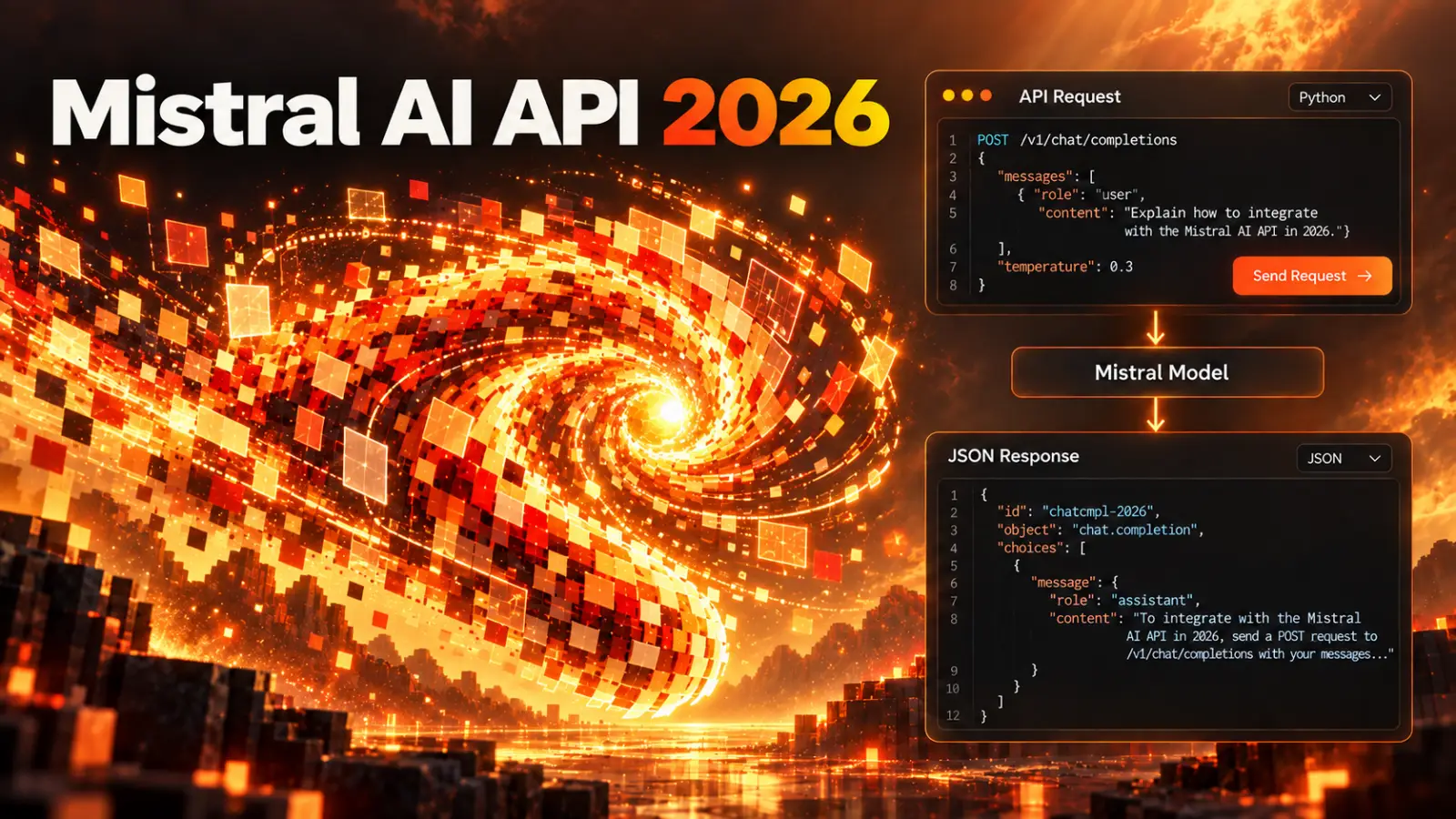
POST /v1/chat/completions
Persistent conversations and more complex agentic scenarios use:
/v1/conversations
/v1/agents
Mistral also provides separate endpoints for embeddings, OCR, audio, moderation, batch processing, and other tasks.
Unlike OpenAI, which is increasingly centering new use cases around the Responses API, Mistral still has a fairly clear separation: Chat Completions for ordinary requests, Conversations and Agents for stateful and tool-based workflows, and specialized APIs for OCR, audio, and embeddings.
Main Mistral models in 2026
Mistral’s model names can be a little confusing. The newer word Medium does not mean that the model is necessarily weaker than Large: Mistral currently recommends Mistral Medium 3.5 as its flagship reasoning and coding model, while Large 3 is an earlier, significantly cheaper general-purpose model with open weights.
The main models look like this:
| Model | Context | Input / Cached / Output per 1M tokens | Weight license | Main use case |
|---|---|---|---|---|
| Mistral Medium 3.5 | 256K | $1.50 / $0.15 / $7.50 | Modified MIT | complex agentic, coding, and multimodal tasks |
| Mistral Large 3 | 256K | $0.50 / $0.05 / $1.50 | Apache 2.0 | powerful general-purpose open-weight model |
| Mistral Small 4 | 256K | $0.15 / $0.015 / $0.60 | Apache 2.0 | low-cost general-purpose, reasoning, and coding tasks |
| Ministral 3 14B | 256K | $0.20 / $0.02 / $0.20 | Apache 2.0 | relatively compact deployment |
| Ministral 3 8B | 256K | $0.15 / $0.015 / $0.15 | Apache 2.0 | lightweight and edge use cases |
| Ministral 3 3B | 256K | $0.10 / $0.01 / $0.10 | Apache 2.0 | minimum cost and local use cases |
For most new cloud integrations, it makes sense to compare Medium 3.5 and Small 4 first. Large 3 is worth testing separately when price and the option to run the same open model on your own infrastructure matter.
Mistral Medium 3.5
Mistral Medium 3.5 was released in April 2026 and is now positioned as a frontier-class multimodal model for agentic and coding tasks.
Its context window is 256K tokens. The model supports Structured Outputs, function calling, Document QnA, predicted outputs, reasoning, Agents & Conversations, and built-in tools.
Its price is noticeably higher than that of Mistral’s other models:
input:         $1.50 / 1M tokens
cached input:  $0.15 / 1M tokens
output:        $7.50 / 1M tokens
At the same time, Medium 3.5 is published with open weights under the Modified MIT license. This is an important difference from most direct competitors at the level of Claude or closed GPT models: if the cloud API no longer meets your needs for cost, latency, or data requirements, you have a path to deploying the same model family yourself.
Mistral Small 4
Mistral Small 4 is one of the platform’s most interesting models from a practical perspective. It is a Mixture-of-Experts model with 119 billion parameters, of which about 6.5 billion are active for any given token.
The main change from the previous lineup is that several roles have been combined in one model. Mistral previously maintained separate Magistral models for reasoning and Devstral models for coding. Small 4 now combines instruct, reasoning, and coding, and is the recommended replacement for a number of previous models.
Its context window is 256K tokens. Pricing:
input:         $0.15 / 1M
cached input:  $0.015 / 1M
output:        $0.60 / 1M
The model supports Chat Completions, Structured Outputs, function calling, Agents & Conversations, built-in tools, Document QnA, and the Batch API. Its weights are published under Apache 2.0.
For classification, data extraction, an internal assistant, a low-cost agent, and many ordinary backend functions, Small 4 looks like a particularly interesting starting point. At DeepSeek-level pricing, it is still part of a fairly rich European AI platform.
Mistral Large 3
Mistral Large 3 is a general-purpose multimodal MoE model with 675 billion parameters and about 41 billion active parameters.
It has the same 256K context window, Structured Outputs, function calling, Document QnA, and Chat Completions. Its price is significantly lower than Medium 3.5:
input:         $0.50 / 1M
cached input:  $0.05 / 1M
output:        $1.50 / 1M
The model is published under Apache 2.0, so it can be viewed as a compromise between a managed API and self-hosting.
The name Large does not necessarily mean that this is Mistral’s main flagship today. For a new project, test Medium 3.5 on the hardest tasks and Large 3 as a cheaper, open alternative.
Ministral 3
Ministral is a family of relatively compact 3B, 8B, and 14B models. All current versions support context windows of up to 256K tokens and text/vision use cases.
Their main advantage is the ability to use models where a large cloud model would be overkill: edge infrastructure, local services, private deployments, or a large volume of simple calls.
Through the API, the 3B model costs $0.10/$0.10 per million input/output tokens, the 8B costs $0.15/$0.15, and the 14B costs $0.20/$0.20.
If a task is well defined, choosing Medium 3.5 just because it is considered stronger is not always economical. A small model may handle extraction, classification, or routing reliably at a fraction of the cost.
What a standard request looks like
The basic Mistral API uses a familiar Chat Completions structure:
curl https://api.mistral.ai/v1/chat/completions \
  -H "Authorization: Bearer $MISTRAL_API_KEY" \
  -H "Content-Type: application/json" \
  -d '{
    "model": "mistral-small-latest",
    "messages": [
      {
        "role": "user",
        "content": "Briefly explain the difference between REST and GraphQL."
      }
    ]
  }'
The messages array uses the usual system, user, assistant, and tool roles. This API is often enough for a standard chatbot or a single AI feature.
If the application needs to preserve conversation state on Mistral’s side, use server-side tools, or support a more complex agent workflow, consider switching to the Conversations API.
Compatibility with the OpenAI API
Mistral Chat Completions follows the same basic structure as OpenAI Chat Completions. As a result, many libraries with an OpenAI-compatible provider can be switched to Mistral by simply changing the base URL and model ID.
For example, with the OpenAI Python client:
from openai import OpenAI

client = OpenAI(
    api_key="YOUR_MISTRAL_API_KEY",
    base_url="https://api.mistral.ai/v1",
)

response = client.chat.completions.create(
    model="mistral-small-latest",
    messages=[
        {
            "role": "user",
            "content": "Explain dependency injection."
        }
    ],
)

print(response.choices[0].message.content)
This is especially convenient with LangChain, LlamaIndex, and custom abstraction layers.
However, this compatibility mainly applies to Chat Completions. Mistral Conversations, Agents, Libraries, Connectors, and built-in tools have their own API model, so a complex OpenAI Responses workflow cannot be assumed to transfer automatically by changing the URL alone.
Reasoning without a separate Magistral model
The older, standalone Magistral reasoning models are deprecated. For new integrations, Mistral recommends using mistral-small-latest or mistral-medium-3-5 with the reasoning_effort parameter.
For complex agentic and coding tasks with Medium 3.5, Mistral recommends reasoning_effort="high". If additional reasoning is not needed, it can be turned off.
Example:
{
  "model": "mistral-medium-3-5",
  "messages": [
    {
      "role": "user",
      "content": "Analyze this application’s architecture."
    }
  ],
  "reasoning_effort": "high"
}
Reasoning is returned as a separate thinking chunk before the final answer. For a multi-turn conversation, Mistral recommends sending the full assistant message back, including the ThinkChunk. If you remove the reasoning trace and keep only the final answer, the quality of the continuation may decrease.
This differs from providers that deliberately hide internal reasoning and return only encrypted state or a summary. In Mistral, reasoning is part of the response structure.
Structured Outputs
Mistral supports both ordinary JSON mode and JSON Schema.
For backend tasks, schema mode is preferable: the model receives an exact description of the expected object and returns structured JSON that can be passed more safely to the next programmatic step.
Typical use cases include:
- parsing documents and emails;
- extracting data from forms;
- classifying requests;
- generating DTOs;
- preparing arguments for business logic;
- agentic workflows where the next stage expects a specific structure.
As with any LLM API, schema validation does not replace checks of business constraints. Even formally valid JSON can contain a logically invalid value.
Function calling
Mistral supports standard function calling through JSON Schema.
For example, you can describe a function like this:
{
  "type": "function",
  "function": {
    "name": "get_order",
    "description": "Retrieve order details",
    "parameters": {
      "type": "object",
      "properties": {
        "order_id": {
          "type": "string"
        }
      },
      "required": ["order_id"]
    }
  }
}
The model decides when a tool is needed and returns its name and arguments, and your application executes the actual request.
Function calling works in both ordinary Chat Completions and Conversations/Agents. The latter become more convenient when there are many tools, state needs to be preserved, or your own functions need to be combined with Mistral’s built-in tools.
Conversations API
Conversations is the platform’s stateful layer. A Conversation stores the history of interactions with a model or Agent and lets you continue without manually resending the entire sequence of messages as you would with stateless Chat Completions.
A Conversation contains entries: user and model messages, tool executions, and other events. It can be created directly with a model ID or based on a previously configured Agent.
In terms of its role, Conversations is more similar to the stateful Responses/threads approaches used by other providers. An extra layer is unnecessary for a single ordinary completion, but it can greatly simplify orchestration for an AI assistant with tools.
Agents API
An Agent in Mistral is a saved configuration that combines:
- a model;
- system instructions;
- tools;
- completion parameters;
- additional behavior settings.
After creation, an Agent receives an ID that can be used for new conversations.
The point is not only to avoid sending the system prompt every time. An Agent is a reusable entity that can be linked to web search, Code Interpreter, Document Library, image generation, functions, and MCP Connectors.
Mistral also supports handoffs between agents: one agent can pass a task to another as part of a workflow. This makes it possible to build, for example, a research agent, an analyst, and a separate agent that prepares the final result.
Built-in tools
Mistral’s built-in tools are available through Agents and Conversations:
web_search;web_search_premium;code_interpreter;image_generation;document_library;- custom function tools;
- MCP-based Connectors.
There is an important technical detail: web search and Code Interpreter do not work through ordinary /v1/chat/completions. They require Conversations or Agents.
Image Generation is an exception: this built-in tool can also be used through Chat Completions.
When choosing an API endpoint, first determine which tools the application needs, and only then build the client layer.
Web Search
Mistral provides two built-in search options.
web_search is a standard web search.
web_search_premium also uses a vetted news provider and is designed for scenarios where current news and additional source verification matter.
The model decides when to call search, and the Conversations API returns references associated with the search results.
This is more convenient for an application than a custom sequence of “call a search API → manually assemble snippets → send them to the model.” However, for cost-sensitive workloads, keep in mind that an agent may perform several searches in response to one user request.
Code Interpreter
Code Interpreter runs code in an isolated sandbox and is suitable for:
- mathematical calculations;
- spreadsheet analysis;
- chart generation;
- code checking;
- data processing.
The model decides when it needs execution, receives the result, and continues its response.
Built-in Code Interpreter is especially useful with Document Library or Web Search: an agent can first retrieve data and then process it programmatically instead of trying to do all the calculations with a language model.
MCP Connectors
In 2026, Mistral significantly expanded its support for the Model Context Protocol.
Connectors are registered MCP servers that can be connected to Conversations and Agents. Mistral handles MCP transport, and the model sees the available server tools and can call the appropriate one.
The built-in human-in-the-loop flow is especially useful. You can set requires_confirmation for specific tool calls so an operation pauses until the user explicitly confirms it.
This matters for actions such as:
- sending a message;
- changing data;
- creating an order;
- deleting an object;
- operations in an external system.
Mistral also provides its own MCP endpoint for accessing Studio resources from compatible clients, including coding CLIs and IDEs.
Document Library and RAG
Agents provide a built-in document_library for working with your own document collection.
You upload documents to a Library, and an Agent can then retrieve and use relevant passages in its answer. This lets you build RAG without requiring an external vector database.
Libraries support a wide range of formats: PDF, Word, PowerPoint, Excel, CSV, images, Markdown, JSON, XML, source code, email files, and others.
This may be sufficient for a simple corporate knowledge assistant. If retrieval is a core part of the product and you need custom ranking, chunking, metadata rules, or hybrid search, a separate vector infrastructure still offers more control.
Document QnA
Mistral’s general-purpose models support Document QnA directly through Chat Completions and Conversations.
This is a convenient option when you need to provide a specific document and ask questions about it, but do not need to create a persistent Library.
Combined with a vision model, it can take into account not only the document’s plain text but also its visual structure, images, and tables.
For large document-processing pipelines, consider OCR 4.1 separately.
OCR 4.1
Mistral OCR 4.1 is a separate Document AI API and one of the platform’s most notable specialized components.
It can extract text and page structure, paragraph-level bounding boxes, structural block labels, and confidence scores. Annotated OCR can return structured blocks such as:
- title;
- text;
- list;
- table;
- image;
- equation;
- code;
- caption;
- header;
- footer;
- signature.
Pricing:
standard OCR:    $4 / 1,000 pages
annotated OCR:   $5 / 1,000 pages
This makes Mistral interesting not only for chatbots but also for invoice processing, contracts, archives, forms, scans, and other document-intelligence tasks.
Embeddings
For semantic search and custom RAG, there is Mistral Embed.
The current mistral-embed model has an 8K-token context window and costs:
$0.10 / 1M tokens
The API returns a vector representation of the text. You can store it in your own vector database and use it for similarity search.
There is a separate Codestral Embed model for source code, priced at $0.15 per million input tokens.
If you need full control over retrieval, Mistral Embed combined with PostgreSQL pgvector, Qdrant, Weaviate, or another vector store remains an alternative to built-in Libraries.
Voxtral: speech recognition
Mistral is developing a separate audio family called Voxtral.
For ordinary offline transcription, use Voxtral Mini Transcribe 2. Pricing:
$0.003 / minute of audio
The model supports speaker diarization, context biasing, word-level timestamps, and 13 languages, including Russian, English, Chinese, Spanish, French, German, Japanese, and others.
For live transcription, Voxtral Mini Transcribe Realtime costs about:
$0.006 / minute
The realtime model is designed for streaming and low latency.
Voxtral TTS
Voxtral TTS provides speech synthesis.
Pricing:
$16 / 1M characters
The model supports 9 languages, low time-to-first-audio streaming, and zero-shot voice cloning: you can provide reference audio in a request and generate speech with a similar voice.
The API can return PCM, WAV, MP3, FLAC, and Opus.
Mistral therefore now covers both STT and TTS. For a full conversational agent, the documentation itself suggests a pipeline of realtime transcription, an LLM, and Voxtral TTS rather than one monolithic speech-to-speech model.
Moderation API
The current moderation model is mistral-moderation-2603.
It has a 128K-token context window, can classify multilingual text, and can detect jailbreak attempts. The moderation endpoint is currently free.
In addition to the separate Moderation API, Mistral offers Custom Guardrails, which can be attached directly to Chat Completions, Conversations, or an Agent configuration.
For a production service, this can be more convenient than a separate “call moderation → check threshold → only then call the main model” chain when a relatively standard policy is sufficient.
Image Generation
Agents and Conversations include a built-in image_generation tool. The model can decide on its own that an image is needed for the answer, after which the result is returned as a file.
This differs from OpenAI GPT Image or Google Nano Banana: Mistral’s documentation does not position this tool as a separate first-party Mistral image model. It is a platform tool within the agent stack. Therefore, if image generation is central to the product and you need to choose a specific model or quality tier or calculate the cost of every image in detail, a specialized image API may be more transparent. If an image is simply one of the tools used by a general-purpose Agent, the built-in tool is more convenient.
Prompt caching
Mistral prompt caching works on repeated prefixes. If several requests start with the same system prompt, tool schemas, or conversation history, part of the input can be served from cache.
Cached input costs 10% of the regular input price.
For example, with Mistral Medium 3.5:
regular input:  $1.50 / 1M
cached input:   $0.15 / 1M
With Small 4:
regular input:  $0.15 / 1M
cached input:   $0.015 / 1M
To increase the chance of a cache hit, you can use prompt_cache_key, such as a stable conversation ID or workflow ID.
Caching is especially useful for agentic loops where tool definitions and system instructions occupy a significant part of the context and are repeated almost unchanged.
Batch API
For tasks that do not need an immediate result, Mistral supports Batch Processing at a 50% discount compared with regular inference.
Batch is suitable for:
- bulk classification;
- description generation;
- catalog processing;
- embeddings;
- OCR;
- large document sets;
- offline evaluations.
Requests are submitted as a set of API request bodies and processed asynchronously.
For a large background workload, using Batch may be more effective than choosing a cheaper model solely to reduce the price.
Priority Tier
For latency-sensitive production workloads, Mistral offers Priority Tier.
It is billed at:
1.75 × Standard price
That is a 75% premium. If a request cannot be served as priority and falls back to Standard, regular Standard pricing applies.
Prompt caching continues to work in Priority Tier: the cached input discount is applied first, then the priority multiplier.
This mode makes sense when response time directly affects the user experience or an SLA, but it is usually not economical for background processing.
Cost of one large request
Consider 100K input tokens and 10K output tokens without cache.
| Model | Standard cost |
|---|---|
| Mistral Medium 3.5 | $0.225 |
| Mistral Large 3 | $0.065 |
| Mistral Small 4 | $0.021 |
| Ministral 3 14B | $0.022 |
| Ministral 3 8B | $0.0165 |
| Ministral 3 3B | $0.011 |
With Batch, the same token costs would be about half as much.
This table shows why you should not simply choose the newest and most expensive model for every request within Mistral. Medium 3.5 may be needed for a complex agentic task, but Small 4 costs more than ten times less for extraction or classification.
As always, the token price is not the same as the cost of solving a task. A weaker model may sometimes require more retries or a more complex prompt, so the final choice should be based on your own evaluations.
Open weights — one of Mistral’s main advantages
Mistral remains one of the few major Western AI providers for which an open-weight strategy is part of the core product lineup rather than a separate experiment.
Mistral Large 3 and Small 4 are published under Apache 2.0. Medium 3.5 also has open weights, but uses the Modified MIT license.
This gives you several deployment options:
- the official Mistral API;
- a third-party inference provider;
- your own server with vLLM;
- local execution through LM Studio or Ollama for supported models;
- private cloud or on-premise infrastructure.
The API is almost always simpler for a small project. But for a company with high, steady throughput, strict data-residency requirements, or proprietary code, the option to self-host can become a key advantage.
For example, Mistral separately documents how to run Small 4 locally and recommends accounting for the fact that even its FP8 weights require a substantial amount of VRAM. Open weights do not mean “easy to run on a laptop”: a large model is still a large model.
Regional inference: EU and US
Mistral is a French company, and platform data is hosted in the European Union by default. Regional API endpoints are also available for inference.
Global: https://api.mistral.ai
EU:     https://api.eu.mistral.ai
US:     https://api.us.mistral.ai
Regional inference costs 10% more than the Standard list price.
The EU endpoint guarantees that eligible inference is processed in the EU/EFTA; the US endpoint processes it in the United States. This may matter for corporate data-location requirements.
There are limitations. Regional inference does not make the entire control plane regional, and Agents, Batch, and Files API are not currently supported on regional endpoints. Of the tool-calling options, only function calling is guaranteed regionally; you should also check the availability of specific models separately.
A regional endpoint is therefore not the same as a fully isolated European or US copy of the entire Mistral platform.
Data storage and Zero Data Retention
For ordinary APIs, Mistral may store input and output for up to 30 days by default for abuse monitoring.
On paid plans, you can request Zero Data Retention. When ZDR is active, supported stateless endpoints do not retain input or output longer than required to process the request.
For example, ZDR applies to:
- Chat Completions;
- FIM;
- embeddings;
- moderation;
- OCR;
- TTS;
- transcription.
It does not apply to stateful products that require storage to function:
- Agents;
- Conversations;
- Libraries;
- Files;
- Batch.
This is a logical limitation: a persistent conversation cannot exist while storing nothing at all.
Is API data used for training?
There are several modes here, and it is important not to confuse them.
For commercial use, Mistral lets customers manage their training preference. Pay-as-you-go customers can opt out, while Enterprise data has stricter settings by default.
However, Free mode may use input and output for training unless the user turns off the corresponding setting.
There is a separate, important exception: Labs and Preview models. Mistral’s current commercial terms explicitly allow Customer Data and Outputs from these experimental models to be used for training, and the usual opt-out/ZDR does not apply to them.
For production with confidential data, it is therefore more reasonable to use stable GA models on a paid plan, check the training opt-out, and request ZDR if needed.
Registration and getting an API key
The process is simpler than with many enterprise AI platforms.
- Create a Mistral account.
- Open Studio.
- Go to API Keys.
- Click
Create new key. - Save the key — it is shown only once after creation.
- Use Free mode or configure billing and pay-as-you-go.
A new account gets Free mode by default. You do not need a credit card to create your first API key.
Free mode is intended mainly for testing and prototyping and has the lowest rate limits. To get normal production throughput, add a payment method and use pay-as-you-go or a paid plan.
Important legal nuance: the API is for business use
There is an unusual point in Mistral’s current Terms: the Consumer Terms explicitly exclude Mistral AI Studio and API and state that they are restricted to business customers.
In other words, you really can get a free API key for development and evaluation, but legally Mistral treats Studio/API as a commercial/business product rather than an ordinary consumer service like Vibe Chat.
For an independent developer building a project or SaaS, this usually qualifies as business use. But it would be incorrect to use the API as a purely personal consumer service and assume that ordinary consumer terms apply.
Payments and billing
Billing is managed at the Organization level.
In the Admin Panel, you can:
- add a payment method;
- enter billing information;
- enable pay-as-you-go;
- review usage;
- set a monthly spending limit;
- download invoices;
- track credits and their expiration.
Each Workspace can have its own usage limit, but it cannot exceed the overall organization cap.
An API key itself is not “Free” or “Paid”: it uses the Organization’s plan and pay-as-you-go settings.
If a payment fails or there is no payment method, the API may return 402 Payment Required.
Can you use the Mistral API from Russia?
Under the Commercial Terms in effect at the end of September 2026, Russia itself is not listed among territories subject to a comprehensive ban. Mistral lists Cuba, Iran, North Korea, and Syria, as well as Crimea and the Donetsk and Luhansk regions of Ukraine, among comprehensively sanctioned or embargoed territories.
However, this does not mean unconditional availability for every Russian user or company. Mistral’s terms require compliance with the sanctions and export-control rules of the EU, US, Singapore, and other applicable jurisdictions, and people or organizations on sanctions lists may not use the service.
Payment is a separate practical issue. Mistral’s public documentation does not promise that it accepts cards from any particular Russian bank or Russian payment system. Even if there is no general country ban, international acquiring and restrictions imposed by a particular bank may make direct payment impossible.
Free mode does not require a credit card, so you can technically test API availability for your account before enabling billing.
Before launching a commercial project from Russia, it is worth checking three things separately: whether your account meets the Terms, whether your available payment method is accepted, and whether your company is comfortable with the rules for cross-border data processing.
Rate limits
Rate limits apply at the Organization level and depend on the plan and usage tier.
Mistral measures, among other things:
- requests per second;
- tokens per minute;
- tokens per month;
- separate audio limits;
- OCR pages per minute.
Free mode has minimal limits and is designed for evaluation and prototyping.
If a production application needs more throughput, you can request higher limits from support by specifying the models, expected RPS, TPM, and monthly volume.
Mistral API in PHP
Mistral currently offers official SDKs for Python and TypeScript. There is no official PHP SDK, but the API is standard REST and is also compatible with the OpenAI Chat Completions structure.
A simple PHP example:
<?php

$apiKey = $_ENV['MISTRAL_API_KEY'];

$payload = [
    'model' => 'mistral-small-latest',
    'messages' => [
        [
            'role' => 'user',
            'content' => 'Briefly explain what dependency injection is.',
        ],
    ],
];

$ch = curl_init('https://api.mistral.ai/v1/chat/completions');

curl_setopt_array($ch, [
    CURLOPT_POST => true,
    CURLOPT_RETURNTRANSFER => true,
    CURLOPT_HTTPHEADER => [
        'Authorization: Bearer ' . $apiKey,
        'Content-Type: application/json',
    ],
    CURLOPT_POSTFIELDS => json_encode(
        $payload,
        JSON_UNESCAPED_UNICODE
    ),
]);

$response = curl_exec($ch);

if ($response === false) {
    throw new RuntimeException(curl_error($ch));
}

$data = json_decode(
    $response,
    true,
    flags: JSON_THROW_ON_ERROR
);

echo $data['choices'][0]['message']['content'] ?? '';
In Laravel, integration is simpler with the built-in HTTP Client:
$response = Http::withToken(config('services.mistral.key'))
    ->post('https://api.mistral.ai/v1/chat/completions', [
        'model' => 'mistral-small-latest',
        'messages' => [
            [
                'role' => 'user',
                'content' => 'Briefly explain dependency injection.',
            ],
        ],
    ]);

$text = $response->throw()->json('choices.0.message.content');
It is best to store the API key in .env and access it in application code through configuration. Never pass the key directly in browser JavaScript: the backend should control users, limits, tools, and costs.
Fine-tuning is no longer the main direction
Older Mistral guides may mention the Fine-Tuning API, but the current documentation marks the old fine-tuning flow as deprecated and no longer recommends it as the main path to customization.
For most modern applications, Mistral puts more emphasis on system instructions, structured outputs, Libraries/RAG, tools, Agents, and open-weight deployment.
If a model needs deep adaptation, open weights also make it possible to train or fine-tune the model outside the managed API, but that is a separate ML infrastructure task.
How Mistral differs from OpenAI, Claude, and Gemini
Mistral’s main difference is not a particular benchmark.
OpenAI offers the most cohesive closed proprietary stack, with a large number of its own tools and media APIs.
Claude is particularly strong at complex reasoning, coding, and long-horizon agent workflows.
Gemini closely connects its AI API with Search, Maps, multimodality, and Google Cloud.
Mistral takes an intermediate position: it provides a modern managed platform, while a significant part of its core lineup is also available as open weights and can be moved to your own infrastructure.
This combination makes Mistral interesting to companies that want to start with a serverless API but do not want to architecturally tie themselves to a closed model forever.
Which model should you choose?
For complex agentic, reasoning, and coding tasks, Mistral Medium 3.5 is the first model to test.
For most high-volume tasks where cost matters, test Mistral Small 4 right away. At $0.15/$0.60 per million input/output tokens, it is so much cheaper than Medium that the savings can be substantial if the quality is acceptable.
Consider Mistral Large 3 as a powerful, relatively inexpensive open-weight general-purpose model, especially if self-hosting may matter.
Ministral 3 is suitable for edge use, local inference, and well-defined tasks that do not need a large model.
For documents, audio, and search, it is better not to make a general-purpose LLM solve a specialized task: OCR 4.1, Voxtral, and Mistral Embed usually provide a more predictable architecture and clearer costs.
Conclusion
In 2026, Mistral AI API can no longer be described as simply a “European OpenAI alternative.” It is a full platform with general-purpose models, reasoning, stateful Conversations, Agents, web search, Code Interpreter, MCP Connectors, RAG, OCR, embeddings, STT, TTS, and moderation.
At the same time, its most interesting feature remains the same: a significant share of Mistral’s powerful models have open weights. A project can start with the regular api.mistral.ai and, if needed, later move the model to its own infrastructure or another inference provider.
For a new project, a practical starting point looks like this: Mistral Small 4 for inexpensive high-volume tasks, Medium 3.5 for complex reasoning and agents, Chat Completions for a simple stateless API, and Conversations/Agents only when persistent state and built-in tools are genuinely needed.
Add to that a 90% discount on cached input, a 50% Batch discount, EU data hosting by default, and the option to self-host, and Mistral looks not like a universal market winner but like one of the most flexible API options for a product that wants to keep a path open from a cloud service to its own infrastructure.
Official sources
- Mistral Documentation: https://docs.mistral.ai/
- Studio: https://docs.mistral.ai/studio
- Models: https://docs.mistral.ai/models
- Pricing: https://docs.mistral.ai/inference/pricing
- Mistral Medium 3.5: https://docs.mistral.ai/models/mistral-medium-3-5-26-04
- Mistral Small 4: https://docs.mistral.ai/models/mistral-small-4-0-26-03
- Mistral Large 3: https://docs.mistral.ai/models/mistral-large-3-25-12
- Chat Completions API: https://docs.mistral.ai/api
- Migration from OpenAI: https://docs.mistral.ai/resources/migration-guides
- Reasoning: https://docs.mistral.ai/studio/conversations/reasoning
- Agents & Conversations: https://docs.mistral.ai/studio/agents/agents-api
- Agent tools: https://docs.mistral.ai/studio/agents/agent-tools
- MCP Connectors: https://docs.mistral.ai/studio/connectors
- Prompt caching: https://docs.mistral.ai/studio/conversations/advanced/prompt-caching
- Batch processing: https://docs.mistral.ai/studio/batch-processing
- Priority Tier: https://docs.mistral.ai/inference/priority-tier
- Regional inference: https://docs.mistral.ai/inference/regional-inference
- OCR 4.1: https://docs.mistral.ai/models/ocr-4-1
- Embeddings: https://docs.mistral.ai/api/endpoint/embeddings
- Audio: https://docs.mistral.ai/studio/audio/overview
- Voxtral Mini Transcribe 2: https://docs.mistral.ai/models/voxtral-mini-transcribe-26-02
- Voxtral TTS: https://docs.mistral.ai/models/voxtral-tts-26-03
- Moderation: https://docs.mistral.ai/studio/safety-moderation
- API keys: https://docs.mistral.ai/admin/identity-access/api-keys
- Billing: https://docs.mistral.ai/admin/billing-usage/billing
- Zero Data Retention: https://docs.mistral.ai/admin/monitor-comply/zero-data-retention
- Commercial Terms: https://legal.mistral.ai/terms/commercial-terms-of-service/
- Privacy Policy: https://legal.mistral.ai/terms/privacy-policy/
Our projects
- Anilau
Web development and digital product launch. - Botmarketing
Telegram bots, mini apps, storefronts and CRM for small businesses. - vietnam.anilau.com
Listings, local services and practical guides to Vietnam. - bali.anilau.com
A marketplace for goods and services in Bali. - ceylon.anilau.com
Listings, services and practical information about Sri Lanka. - mauricetop.anilau.com
A platform for listings and information about life in Mauritius. - funlab
A platform for creating and playing AI-generated games. - aura
An AI mood diary and creative space. - drained
A Telegram Mini App for daily fatigue check-ins and recovery. - vietinfodesk
Practical guides, services and help for life in Vietnam. - frau
A cozy Nha Trang cafe profile featuring waffles, breakfast and drinks.
We work in partnership with creative agency Deep.