Yandex AI Studio Review: Alice AI and YandexGPT Models, Agents, API, Pricing, and a Comparison with OpenAI and DeepSeek
Information current as of September 29, 2026.
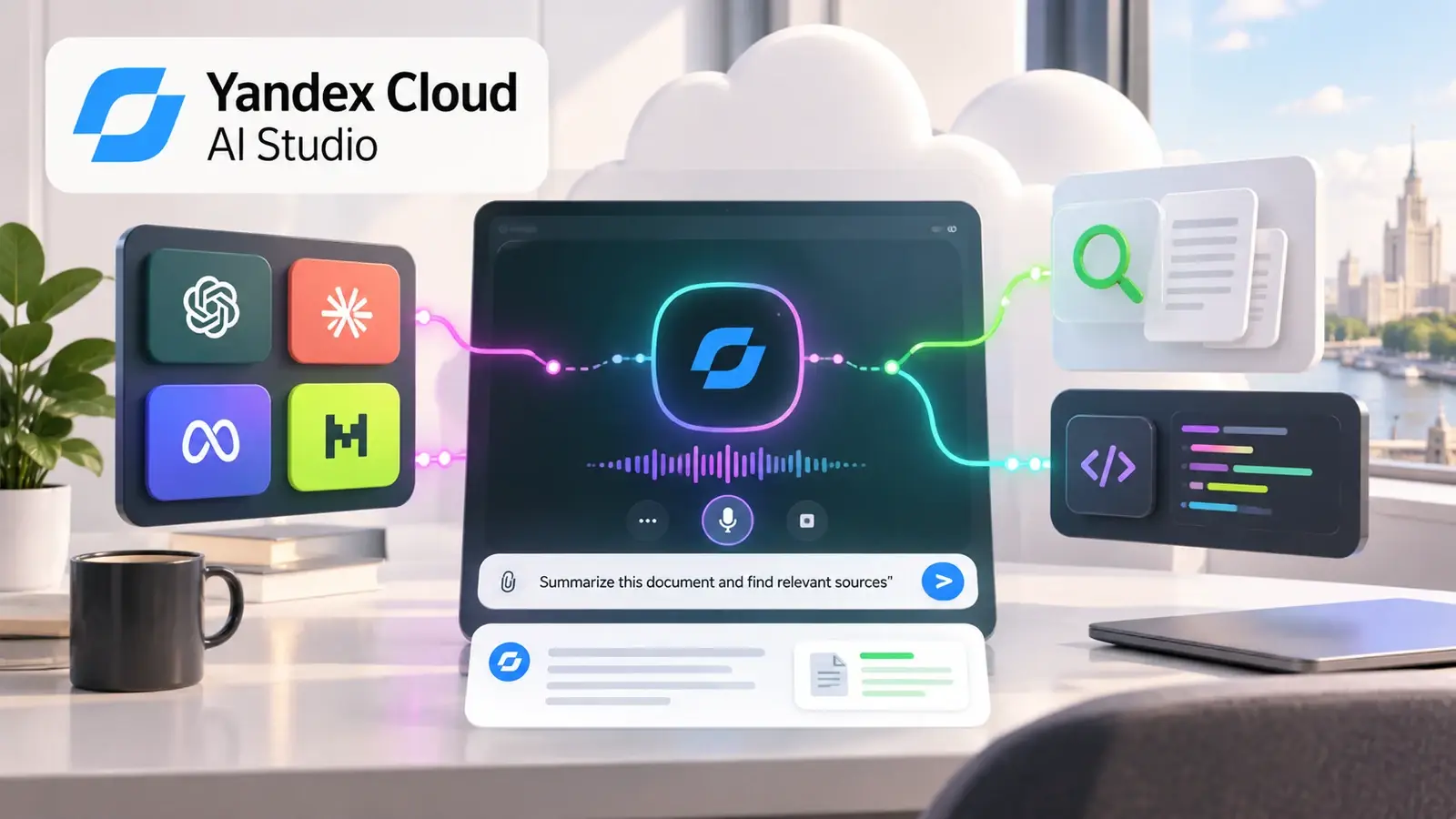
It is no longer accurate to describe Yandex AI Studio as simply “an API for YandexGPT.” The platform has expanded significantly over the past two years. Today, it lets you call Yandex's own models and third-party LLMs; use OpenAI-compatible Responses and Chat Completions APIs; retain conversation context; build text and voice agents; search files and the web; run Python code; connect MCP servers; and generate images.
For developers in Russia, Yandex Cloud has another obvious difference from OpenAI, Anthropic, DeepSeek, and other foreign APIs: it officially serves Russian individuals and companies, accepts Russian bank cards and the Faster Payments System (SBP), issues documents to Russian legal entities, and allows payment in rubles. There is also separate Yandex Cloud infrastructure in Kazakhstan and a payment option for non-residents of Russia and Kazakhstan.
However, you cannot automatically assume Yandex AI Studio is cheaper. The most affordable Alice AI LLM Flash currently costs just RUB 0.10 per 1,000 input tokens and RUB 0.20 per 1,000 output tokens. But direct OpenAI GPT-6 Luna, and especially DeepSeek V4.1 Flash, can be even cheaper for the same number of tokens. On the other hand, Russian text tokenization, local infrastructure, payment methods, and built-in tools all affect the real economics.
This review covers what Yandex AI Studio offers in 2026, which models are available, how its APIs and agents work, what they cost, and when Yandex is cheaper or more expensive than OpenAI and DeepSeek.
What Is Yandex AI Studio?
Yandex AI Studio is an AI platform within Yandex Cloud. It combines several layers that previously had to be assembled from separate services.
Its main components are:
- Model Gallery — text-generation models, embeddings, classifiers, image models, and third-party open-source LLMs;
- Agent Atelier — AI agent creation and publishing;
- Agent Core — memory, tools, context management, MCP, and retrieval;
- AI Search — search across your own files and indexes;
- MCP Hub — connecting to and creating MCP servers;
- Workflows — visual orchestration of multi-step scenarios;
- OpenAI-compatible APIs for models, agents, files, vector stores, and realtime scenarios;
- Yandex-specific APIs for classification, fine-tuning, and batch processing.
You can use AI Studio as a regular LLM API, or build a complete enterprise agent inside it, with memory, search, external functions, and a custom interface.
Which APIs Are Available?
OpenAI-compatible APIs are particularly important for new integrations.
Yandex AI Studio supports:
- Models API — listing available models;
- Chat Completions API — regular stateless generation;
- Responses API — agents, tools, RAG, and structured responses;
- Conversations API — server-side conversation history;
- Realtime API — voice agents and realtime scenarios;
- Files API;
- Vector Store API.
Responses API is currently the main interface for complex text agents. It stores a response object with the model's answer, tool calls, and metadata; supports background execution; and can work with Conversations API.
A simple legacy application can use Chat Completions. For a new agent, it makes sense to start with Responses API.
You Can Use the OpenAI SDK Directly
One of the platform's most convenient features is its compatibility with the OpenAI SDK.
Base endpoint:
https://ai.api.cloud.yandex.net/v1
Python example:
import openai

client = openai.OpenAI(
    api_key=YANDEX_API_KEY,
    project=YANDEX_FOLDER_ID,
    base_url="https://ai.api.cloud.yandex.net/v1"
)

response = client.responses.create(
    model=f"gpt://{YANDEX_FOLDER_ID}/aliceai-llm-flash",
    input="Briefly explain the difference between REST and GraphQL."
)

print(response.output_text)
A model is specified not just by its name, but by a URI:
gpt://<folder_id>/<model_name>
This reflects Yandex Cloud's architecture: models, permissions, files, and other resources belong to a specific folder.
For existing OpenAI code, migration is relatively simple: change the base URL, API key, and model URI.
Yandex's Current Proprietary Models
As of the end of September 2026, Model Gallery has two main families of Yandex's own text models: Alice AI and YandexGPT.
| Model | Context | Best for |
|---|---|---|
| Alice AI LLM | 128K | Complex conversations, agents, long context |
| Alice AI LLM Flash | 64K | High-volume business requests, support, classification |
| YandexGPT Pro 5.1 | 32K | Documents, RAG, structuring, complex instructions |
| YandexGPT Pro 5 | 32K | Previous Pro generation |
| YandexGPT Lite 5 | 32K | Fast, simple tasks |
Model Gallery also includes third-party models such as DeepSeek V4 Flash, Qwen, GPT-OSS, and others.
This is an important difference from a single-provider API: Yandex AI Studio is both a platform for Yandex's own models and a small multi-model gateway.
Alice AI LLM
Alice AI LLM is Yandex's current top-tier proprietary model for business scenarios.
Its 128K-token context is the largest among Yandex's own text models. It is designed for conversations, RAG, working with business documents, and multi-step agent scenarios.
The model is particularly interesting for Russian. Yandex uses its own tokenizer optimized for Cyrillic: in its materials, the company estimates around 4–5 Cyrillic characters per token, compared with about 2–3 for some open-source models.
That matters for cost. Two models with the same price per million tokens may tokenize the same Russian document into different numbers of tokens.
Alice AI LLM Flash
Alice AI LLM Flash launched in May 2026 as a faster, cheaper model for high-volume tasks.
Context window:
65,536 tokens
Typical use cases:
- request classification;
- moderation;
- support responses;
- summarization;
- data extraction;
- knowledge-base search;
- high-volume document processing.
For most low-cost AI features in a Russian product, Flash currently looks like a logical first model to test.
Its price makes this especially clear: RUB 0.10 per 1,000 input tokens and RUB 0.20 per 1,000 output tokens.
YandexGPT Pro 5.1
YandexGPT Pro 5.1 has a 32K context and targets more traditional enterprise LLM tasks:
- multi-step instructions;
- document analysis;
- RAG;
- text transformation;
- structured data extraction;
- enterprise knowledge bases.
In current release notes, Yandex specifically says that the model does not support reasoning mode.
It also has an important advantage for legacy projects: it is a mature proprietary model available through both specialized text-generation APIs and OpenAI-compatible endpoints.
YandexGPT Lite 5
YandexGPT Lite is Yandex's simplest proprietary text model.
It is suitable for:
- classification;
- formatting;
- short-form generation;
- simple extraction;
- low-cost background tasks.
Its context window is 32K.
It is also notable that Lite remains available for LoRA fine-tuning inside AI Studio. If a company needs a particular style or a narrow classification task, this is one of the platform's few managed fine-tuning options.
Current Yandex AI Studio Pricing
The prices below are the official synchronous rates as of the end of September 2026, in rubles including VAT.
| Model | Input, RUB / 1K | Cached, RUB / 1K | Tool tokens, RUB / 1K | Output, RUB / 1K |
|---|---|---|---|---|
| Alice AI LLM | 0.50 | 0.50 | 0.13 | 1.20 |
| Alice AI LLM Flash | 0.10 | 0.025 | 0.025 | 0.20 |
| YandexGPT Pro 5.1 | 0.80 | 0.80 | 0.20 | 0.80 |
| YandexGPT Pro 5 | 1.20 | 1.20 | 1.20 | 1.20 |
| YandexGPT Lite 5 | 0.20 | 0.20 | 0.20 | 0.20 |
| DeepSeek V4 Flash via Yandex | 0.30 | 0.075 | 0.075 | 0.50 |
| Qwen3 235B | 0.50 | 0.50 | 0.50 | 0.50 |
| Qwen3.6 35B | 0.20 | 0.05 | 0.05 | 0.30 |
| GPT-OSS 120B | 0.30 | 0.30 | 0.30 | 0.30 |
| GPT-OSS 20B | 0.10 | 0.10 | 0.10 | 0.10 |
There have been several important changes since older Yandex announcements.
When YandexGPT Pro 5.1 launched in 2025, it was advertised at RUB 0.40 per 1,000 tokens. The current price is RUB 0.80.
At launch, Alice AI LLM cost RUB 0.50 for input and RUB 2 for output, with a temporary discount. The current official rates are RUB 0.50 and RUB 1.20.
So do not use prices from old announcements in an article or financial model; check the current pricing page.
Prices in US Dollars
Yandex Cloud also publishes dollar rates excluding VAT, which is convenient for direct comparison with international APIs.
Converted per 1M tokens:
| Yandex AI Studio model | Input / 1M | Output / 1M |
|---|---|---|
| Alice AI LLM Flash | $0.82 | $1.64 |
| Alice AI LLM | $4.10 | $9.84 |
| YandexGPT Pro 5.1 | $6.56 | $6.56 |
| YandexGPT Lite 5 | $1.64 | $1.64 |
| DeepSeek V4 Flash via Yandex | $2.46 | $4.10 |
Yandex's dollar rates exclude VAT. They are useful for comparing model inference costs, but Russian customers are billed in rubles including VAT.
Comparing Prices with OpenAI and DeepSeek
Now let's compare current official rates.
For OpenAI, use Standard short-context pricing for the current GPT-6 models:
| Model | Input / 1M | Cached / 1M | Output / 1M |
|---|---|---|---|
| OpenAI GPT-6 Luna | $0.10 | $0.01 | $0.50 |
| OpenAI GPT-6 Sol | $2.00 | $0.20 | $10.00 |
| OpenAI GPT-6 Astra | $10.00 | $1.00 | $50.00 |
For the direct DeepSeek API:
| Model | Mode | Input / 1M | Cached / 1M | Output / 1M |
|---|---|---|---|---|
| DeepSeek V4.1 Flash | off-peak | $0.15 | $0.003 | $0.60 |
| DeepSeek V4.1 Flash | peak | $0.30 | $0.006 | $1.20 |
And alongside them, Yandex's own models:
| Model | Input / 1M | Cached / 1M | Output / 1M |
|---|---|---|---|
| Alice AI LLM Flash | $0.82 | $0.20 | $1.64 |
| Alice AI LLM | $4.10 | $4.10 | $9.84 |
| YandexGPT Pro 5.1 | $6.56 | $6.56 | $6.56 |
| YandexGPT Lite 5 | $1.64 | $1.64 | $1.64 |
For exactly the same number of tokens, the cheapest options here are GPT-6 Luna and direct DeepSeek V4.1 Flash.
Alice AI LLM Flash is much cheaper than GPT-6 Sol, but more expensive than Luna and direct DeepSeek.
However, this table does not compare quality and does not account for Russian text tokenization.
Example: 100,000 Input + 10,000 Output Tokens
Consider a hypothetical large request without caching.
| Model | Cost |
|---|---|
| OpenAI GPT-6 Luna | $0.015 |
| DeepSeek V4.1 Flash off-peak | $0.021 |
| DeepSeek V4.1 Flash peak | $0.042 |
| Alice AI LLM Flash | $0.098 |
| YandexGPT Lite 5 | $0.180 |
| DeepSeek V4 Flash via Yandex | $0.287 |
| OpenAI GPT-6 Sol | $0.300 |
| Alice AI LLM | $0.508 |
| YandexGPT Pro 5.1 | $0.721 |
| OpenAI GPT-6 Astra | $1.500 |
In rubles, the same request on Alice AI LLM Flash costs:
100,000 input × RUB 0.10 / 1,000 = RUB 10
10,000 output × RUB 0.20 / 1,000 = RUB 2

Total: RUB 12
It costs RUB 62 on Alice AI LLM and RUB 88 on YandexGPT Pro 5.1.
What the Comparison Shows
For the same number of tokens, Alice AI LLM Flash is about 6.6 times more expensive than GPT-6 Luna and about 4.7 times more expensive than DeepSeek V4.1 Flash off-peak.
In the example above, though, it is about three times cheaper than GPT-6 Sol.
But these models differ in capability and are optimized for different tasks. Token price alone cannot tell you which model costs less per successfully completed task.
Russian Text Changes the Picture
Russian-language applications have another factor: how many tokens a model uses for the same text.
Yandex says that Alice AI usually packs about 4–5 Cyrillic characters into one token, compared with about 2–3 for some open-source models.
In one of Yandex's own examples, the same Russian text used:
Alice AI: 82 input tokens
Qwen3:    116 input tokens
and the response used:
Alice AI: 37 output tokens
Qwen3:    60 output tokens
So a comparison of “one million tokens versus one million tokens” may overstate the real cost difference for processing Russian text.
But do not apply that ratio automatically to OpenAI or every DeepSeek version: each model has its own tokenizer. The only reliable approach is to run your application's real prompts and compare quality, token usage, and final cost together.
DeepSeek via Yandex vs. the Direct DeepSeek API
This is a particularly interesting comparison.
Yandex AI Studio currently offers:
DeepSeek V4 Flash
RUB 0.30 input / RUB 0.50 output per 1,000 tokens
Yandex's dollar rates are approximately:
$2.46 input / 1M
$4.10 output / 1M
The direct DeepSeek API already uses the newer V4.1 Flash:
off-peak:
$0.15 input
$0.60 output

peak:
$0.30 input
$1.20 output
So direct DeepSeek is much cheaper.
For our 100K + 10K example:
DeepSeek via Yandex:   ~$0.287
Direct DeepSeek offpeak: ~$0.021
Direct DeepSeek peak:    ~$0.042
That is about 13.7 times the off-peak rate and 6.8 times the peak rate.
However, these are not exactly the same product: Yandex currently lists DeepSeek V4 Flash, while the direct DeepSeek API already runs V4.1 Flash.
Why Use DeepSeek via Yandex?
The reasons are not about inference price.
Through Yandex, you get:
- billing in rubles;
- a Russian contract and billing documents;
- Russian infrastructure;
- one Yandex Cloud account;
- built-in Responses/Conversations APIs;
- AI Studio agent tools;
- a shared IAM system;
- controlled logging;
- integration with AI Search and MCP.
If you can register for, pay for, and legally use direct DeepSeek, it is much cheaper purely by token price.
If your company needs Russian billing documents, a unified cloud stack, and specific data-handling requirements, the price difference may be justified by the infrastructure.
Alice AI LLM Flash vs. GPT-6 Luna
By headline price, Luna is much cheaper:
GPT-6 Luna:
$0.10 input
$0.50 output

Alice AI LLM Flash:
$0.82 input
$1.64 output
Alice has several local advantages:
- Russian-text tokenization;
- payment in rubles;
- Russian infrastructure;
- built-in Yandex AI Studio tools;
- integration with Yandex Search;
- compliance with 152-FZ requirements;
- the option to disable API request logging.
Luna, in turn, has a much larger context window:
GPT-6 Luna: 1.05M
Alice AI Flash: 64K
and a broader modern OpenAI reasoning and tool ecosystem.
These are not two identical models “in the same class.” Alice Flash can be very convenient for high-volume support in Russia, while Luna may be cheaper and more capable for long agent contexts or global SaaS.
Alice AI LLM vs. GPT-6 Sol
The prices are much closer here.
Alice AI LLM:
$4.10 input
$9.84 output

GPT-6 Sol:
$2.00 input
$10.00 output
For large inputs, Sol is cheaper. Output costs are nearly the same.
For our hypothetical request of 100K input + 10K output:
Alice AI LLM: ~$0.508
GPT-6 Sol:     $0.300
But Alice AI may use fewer tokens for Russian text, while its cached-input pricing is currently less favorable: OpenAI Sol charges $0.20 per million cached input tokens, whereas Alice AI's current Yandex rate for cached input is the same as its regular input rate.
If your application repeatedly reuses a long prompt, OpenAI caching can reduce inference costs more.
Agent Tools and Their Costs
AI Studio bills not only for model tokens, but also for some tools.
Current prices in rubles including VAT:
| Tool | Price per 1,000 calls | Price per call |
|---|---|---|
| Web Search | RUB 915 | RUB 0.915 |
| File Search | RUB 300 | RUB 0.30 |
| Code Interpreter | Free | RUB 0 |
| MCP | Free | RUB 0 |
| Image Generation | RUB 2,230 | RUB 2.23 |
Dollar rates excluding VAT:
| Tool | Price per 1,000 calls |
|---|---|
| Web Search | ~$7.50 |
| File Search | ~$2.46 |
| Image Generation | ~$18.28 |
For comparison, OpenAI currently charges:
Web Search: $10 / 1,000 calls
File Search: $2.50 / 1,000 tool calls
At the published dollar rates, Yandex web search is slightly cheaper, while file search is almost the same price per tool call.
The direct DeepSeek API currently has no built-in web or file search comparable to Responses API. Those features have to be implemented with external tools or an agent harness.
Web Search
The Yandex Web Search Tool uses Yandex's search index and can be called by a model directly inside Responses API.
Example:
response = client.responses.create(
    model=f"gpt://{YANDEX_FOLDER_ID}/aliceai-llm",
    input="Find the latest news about LLMs.",
    tools=[
        {
            "type": "web_search"
        }
    ],
)
You can restrict search to allowed domains and pass the user's geographic context.
For Russian-language content and Russian websites, having Yandex itself as the search backend is a natural platform advantage.
File Search and AI Search
Yandex AI Studio can create search indexes over your own documents.
A typical RAG scenario:
files
→ AI Search index
→ File Search Tool
→ model
→ answer
The agent retrieves relevant passages from the knowledge base and uses them to answer.
You can upload ready-made documents or preprocessed chunks through the API.
This makes it possible to build an enterprise assistant without a separate Pinecone, Qdrant, or pgvector service, if the built-in retrieval features are sufficient.
Code Interpreter
Code Interpreter lets a model write and run Python in an isolated environment.
It is useful for:
- mathematical calculations;
- CSV analysis;
- file processing;
- creating charts;
- checking program logic;
- data analysis.
The tool call itself is not billed separately, but the code, results, and other context increase the model's token usage.
Yandex specifically recommends models with a larger context window for Code Interpreter, because the execution trace can quickly expand the context.
MCP Hub
MCP Hub lets you connect AI agents to external systems through the Model Context Protocol.
You can:
- connect an existing external MCP server;
- create an MCP server from a template;
- create your own server;
- manage and monitor MCP through Yandex AI Studio.
The ecosystem includes integrations with Russian services such as Yandex Tracker, Bitrix24, amoCRM, and others.
AI Studio does not currently charge a separate fee for MCP Tool calls, although charges from the external service and model tokens still apply.
Workflows
Not every AI process needs to be a fully autonomous agent.
For more deterministic scenarios, Yandex AI Studio offers Workflows: a visual builder for sequences, conditions, branches, and asynchronous steps.
This is useful for business automation, where the LLM is only one component:
receive a document
→ classify it
→ extract data
→ check a condition
→ call the CRM
→ send a notification
This kind of workflow is more predictable than a free-running agent loop and easier to control in production.
Image Generation
AI Studio supports an Image Generation Tool inside Responses API.
During a conversation, an agent can decide that the user needs an image and invoke generation automatically.
Yandex's current image capabilities use Alice AI ART, an updated model that works better with Russian-language lettering and local cultural context.
A tool call costs:
RUB 2.23 per image
based on RUB 2,230 per 1,000 requests.
For high-volume generation, compare this separately with competitors' direct image APIs. For an agent, though, the convenience of a single Responses workflow may matter more than the lowest price for one image.
Voice Agents
Yandex AI Studio integrates with SpeechKit and supports Realtime API.
The same platform can be used to build voice agents with:
- speech recognition;
- an LLM;
- tool calls;
- speech synthesis;
- a realtime session.
Model Gallery includes dedicated Speech Realtime models, and an AI Studio API key automatically receives scopes for SpeechKit STT and TTS.
For a Russian call-center scenario, this lets you keep voice, the LLM, search, and business integrations in one Yandex Cloud account.
Background Execution
Responses API supports:
{
  "background": true
}
The application receives a task ID and can poll for its status.
This is useful for:
- long document analysis;
- complex agentic tasks;
- background generation;
- tasks that may not fit within a regular HTTP timeout.
Architecturally, this makes Yandex Responses API much closer to the modern OpenAI API than the old YandexGPT completions endpoint.
Conversations API
Conversations API provides server-side memory.
You create a conversation object and pass it in later requests. The application does not have to rebuild the entire history by hand for every call.
This is particularly useful for:
- customer support;
- long user chats;
- agent sessions;
- multi-step processes.
If you need full control over storage and privacy, you can still manage the history yourself.
Asynchronous Mode Costs Less
Some of Yandex's own models have a separate asynchronous rate.
Current prices in rubles including VAT:
| Model | Input / 1K | Output / 1K |
|---|---|---|
| Alice AI LLM | RUB 0.25 | RUB 1.02 |
| YandexGPT Pro 5.1 | RUB 0.41 | RUB 0.41 |
| YandexGPT Pro 5 | RUB 0.61 | RUB 0.61 |
| YandexGPT Lite | RUB 0.10 | RUB 0.10 |
If the user does not need an immediate response, asynchronous processing can significantly reduce costs.
Batch mode is also available for supported models for large offline tasks.
Registration and API Key
You need a regular Yandex Cloud account to get started.
The simplified process is:
- sign in with Yandex ID;
- create an organization and cloud;
- create a billing account;
- activate AI Studio;
- create an API key directly in the AI Studio interface;
- save your
YANDEX_FOLDER_ID; - connect to
https://ai.api.cloud.yandex.net/v1.
When you create the key, AI Studio automatically creates a service account with the minimum required roles.
The API key is shown only once, during creation, so save it immediately.
Paying from Russia
For Russian users, this is one of Yandex Cloud's strongest advantages.
Individuals who are residents of Russia pay in rubles and can use:
- a bank card;
- the Faster Payments System (SBP).
Accepted cards include:
- Mir;
- Visa issued by Russian banks;
- MasterCard issued by Russian banks.
Russian legal entities and sole proprietors can use corporate cards, SBP, and bank transfers.
A Russian company therefore does not need a foreign card, an intermediary, or cryptocurrency; billing works like a regular Russian cloud service.
Kazakhstan and Non-Residents
Yandex Cloud has a separate Kazakhstan region.
Residents of Kazakhstan pay in tenge and use cards issued by non-Russian banks.
Non-residents of Russia and Kazakhstan are billed in USD and also use cards issued by non-Russian banks.
Legal entities may pay by bank transfer using the details of the Yandex Cloud legal entity with which they have a contract.
This makes the platform available beyond Russian customers, although the exact services can differ between regions.
Data and Privacy
Yandex Cloud publicly states that customer data is not used to train models.
For the Russian region, the platform also says it complies with 152-FZ, ISO 27001, PCI DSS, and other standards.
The API also lets you disable request logging:
x-data-logging-enabled: false
Example:
client = OpenAI(
    api_key=YANDEX_API_KEY,
    base_url="https://ai.api.cloud.yandex.net/v1",
    project=YANDEX_FOLDER_ID,
    default_headers={
        "x-data-logging-enabled": "false"
    }
)
This is an important feature for enterprise scenarios involving confidential data.
On-Premises via Stackland
Yandex AI Studio is now also available as part of Stackland for deployment in your own infrastructure environment.
In the on-premises version, you can use Model Gallery and Agent Atelier inside your company's Kubernetes cluster.
For example, Stackland documentation lists support for:
- YandexGPT 5 Lite;
- YandexGPT 5.1 Pro;
- Alice 30B;
- Alice Flash;
- embeddings;
- Ethics;
- Code Interpreter.
This is a different class of deployment: the company is responsible for GPU infrastructure, but data and inference can stay inside its own environment.
For a small business, a SaaS API is simpler. For a bank, industrial company, or system with strict data-residency requirements, on-premises deployment can matter much more than the price per million tokens.
Yandex AI Studio in PHP
The new official AI Studio SDK is primarily aimed at Python, but its OpenAI-compatible REST API is easy to call from PHP.
Example using Responses API:
<?php

$apiKey = $_ENV['YANDEX_API_KEY'];
$folderId = $_ENV['YANDEX_FOLDER_ID'];

$payload = [
    'model' => sprintf(
        'gpt://%s/aliceai-llm-flash',
        $folderId
    ),
    'input' => 'Briefly explain dependency injection.',
];

$ch = curl_init(
    'https://ai.api.cloud.yandex.net/v1/responses'
);

curl_setopt_array($ch, [
    CURLOPT_POST => true,
    CURLOPT_RETURNTRANSFER => true,
    CURLOPT_HTTPHEADER => [
        'Authorization: Api-Key ' . $apiKey,
        'Content-Type: application/json',
    ],
    CURLOPT_POSTFIELDS => json_encode(
        $payload,
        JSON_UNESCAPED_UNICODE
    ),
]);

$response = curl_exec($ch);

if ($response === false) {
    throw new RuntimeException(curl_error($ch));
}

$data = json_decode(
    $response,
    true,
    flags: JSON_THROW_ON_ERROR
);

foreach ($data['output'] ?? [] as $item) {
    if (($item['type'] ?? null) !== 'message') {
        continue;
    }

    foreach ($item['content'] ?? [] as $content) {
        if (($content['type'] ?? null) === 'output_text') {
            echo $content['text'];
        }
    }
}
In Laravel:
$response = Http::withHeaders([
    'Authorization' => 'Api-Key ' . config('services.yandex_ai.key'),
])
    ->post('https://ai.api.cloud.yandex.net/v1/responses', [
        'model' => sprintf(
            'gpt://%s/aliceai-llm-flash',
            config('services.yandex_ai.folder_id')
        ),
        'input' => 'Briefly explain dependency injection.',
    ]);

$data = $response->throw()->json();
Store the API key only on the backend.
Yandex AI Studio's Strengths
For a Russian project, the advantages are quite specific.
First, regular Russian billing: rubles, cards issued by Russian banks, SBP, invoices, and documents.
Second, Russian-language support and tokenization. For large amounts of Cyrillic text, the actual token count can be lower than with some international models.
Third, a mature agent infrastructure: Responses API, Conversations, AI Search, Web Search, Code Interpreter, MCP, Workflows, and voice.
Fourth, one platform supports both Yandex's own models and third-party DeepSeek, Qwen, and GPT-OSS.
Fifth, both cloud and on-premises options are available.
Limitations
The main limitation of Yandex's own models is context size.
Alice AI LLM:       128K
Alice AI Flash:      64K
YandexGPT Pro 5.1:   32K
YandexGPT Lite:      32K
For comparison:
GPT-6 Luna/Sol:     ~1.05M
DeepSeek V4.1:        1M
For very large documents, codebases, or long agent sessions, Yandex's own models may need retrieval or context compaction sooner.
The second limitation is price. Alice Flash is competitive with expensive frontier models, but direct DeepSeek and GPT-6 Luna are cheaper for the same number of tokens.
Third, some capabilities and models depend on the Yandex Cloud region.
Finally, Model Gallery changes quickly. If your product uses a third-party model through Yandex, track the exact version that is actually available: for example, direct DeepSeek has moved to V4.1 Flash, while Yandex AI Studio currently documents DeepSeek V4 Flash.
Which Model Should You Choose?
For a typical Russian SaaS product, a reasonable starting point is Alice AI LLM Flash.
It is inexpensive, fast, and suitable for many high-volume business scenarios:
- support;
- classification;
- extraction;
- RAG;
- summarization;
- simple agents.
If a complex task is not handled reliably, you can escalate to Alice AI LLM.
YandexGPT Pro 5.1 is worth testing separately for documents, structuring, and existing enterprise workflows.
If you need a million-token context window, Yandex AI Studio itself offers DeepSeek V4 Flash and other third-party models.
If minimum inference cost matters and foreign billing, privacy, and infrastructure are not a problem, compare direct DeepSeek and OpenAI Luna separately; at the same token volume they are cheaper than Alice Flash.
Conclusion
In 2026, Yandex AI Studio is a full-fledged Russian alternative not only to the OpenAI API, but also to a substantial part of the OpenAI Agent stack.
The platform offers OpenAI-compatible Responses, Chat Completions, Conversations, Realtime, Files, and Vector Store APIs; its own Alice AI and YandexGPT models; third-party DeepSeek and Qwen; AI Search, Web Search, Code Interpreter, MCP, Workflows, image generation, and voice scenarios.
The prices of its own models fall somewhere in the middle.
Alice AI LLM Flash costs just RUB 0.10 per 1,000 input tokens and RUB 0.20 per 1,000 output tokens. For Russian businesses, that is inexpensive and convenient. But direct GPT-6 Luna and DeepSeek V4.1 Flash are even cheaper when comparing the same number of tokens.
At the same time, the real cost of Russian text depends on the tokenizer, and a business API choice depends on more than token prices. Ruble billing, Russian business documents, 152-FZ requirements, no need to find a foreign payment method, Yandex's built-in search, and on-premises deployment may matter more than a few cents per token.
The most practical strategy is to run the same set of real prompts through Alice AI Flash, Alice AI LLM, OpenAI Luna/Sol, and direct DeepSeek, then compare not the cost per million tokens but all three of these measures:
output quality
actual token count
cost per successfully completed task
That test is the best way to determine whether Yandex AI Studio's local optimizations offset its higher headline token price for a particular product.
Official Sources
- Yandex AI Studio: https://aistudio.yandex.ru/ru/docs/ai-studio/
- About the platform: https://aistudio.yandex.ru/ru/docs/ai-studio/concepts/
- Available models: https://aistudio.yandex.ru/ru/docs/ai-studio/concepts/generation/models
- API: https://aistudio.yandex.ru/ru/docs/ai-studio/concepts/api
- Quickstart: https://aistudio.yandex.ru/ru/docs/ai-studio/quickstart/
- AI Studio pricing: https://aistudio.yandex.ru/ru/docs/ai-studio/pricing
- AI agents: https://aistudio.yandex.ru/ru/docs/ai-studio/concepts/agents/
- MCP Hub: https://aistudio.yandex.ru/ru/docs/ai-studio/concepts/mcp-hub/
- Code Interpreter: https://aistudio.yandex.ru/ru/docs/ai-studio/concepts/agents/tools/code-interpreter
- OpenAI-compatible Responses API: https://aistudio.yandex.ru/ru/docs/ai-studio/concepts/agents/text-agents
- Conversations API: https://aistudio.yandex.ru/ru/docs/ai-studio/operations/agents/manage-context
- Disable logging: https://aistudio.yandex.ru/ru/docs/ai-studio/operations/disable-logging
- API key: https://aistudio.yandex.ru/ru/docs/ai-studio/operations/get-api-key
- Yandex Cloud Billing: https://yandex.cloud/ru/docs/billing/
- Payment methods for individuals: https://yandex.cloud/ru/docs/billing/payment/payment-methods-individual
- Legal entity registration: https://yandex.cloud/ru/docs/getting-started/legal-entity/registration
- Yandex Cloud Stackland AI Studio: https://yandex.cloud/ru/docs/stackland/concepts/components/ai-studio
- OpenAI API pricing: https://developers.openai.com/api/docs/pricing
- DeepSeek API pricing: https://api-docs.deepseek.com/quick_start/pricing/
Our projects
- Anilau
Web development and digital product launch. - Botmarketing
Telegram bots, mini apps, storefronts and CRM for small businesses. - vietnam.anilau.com
Listings, local services and practical guides to Vietnam. - bali.anilau.com
A marketplace for goods and services in Bali. - ceylon.anilau.com
Listings, services and practical information about Sri Lanka. - mauricetop.anilau.com
A platform for listings and information about life in Mauritius. - funlab
A platform for creating and playing AI-generated games. - aura
An AI mood diary and creative space. - drained
A Telegram Mini App for daily fatigue check-ins and recovery. - vietinfodesk
Practical guides, services and help for life in Vietnam. - frau
A cozy Nha Trang cafe profile featuring waffles, breakfast and drinks.
We work in partnership with creative agency Deep.